Whatever filled your disk,
start here.

Pick the situation that sounds like yours and see how DiskHalo helps, in three steps.

Your disk is almost full, and you don’t know why.

The warning appears, but nothing obvious has changed. The space is spread across thousands of folders, and none of the usual suspects explains it.

  1. Scan the whole drive, or just your home folder.
  2. Follow the biggest arcs and rectangles down to the folders taking more than their share.
  3. Move, zip or send what you don’t need to the Trash or Recycle Bin, straight from the results.
DiskHalo / Storage OrbitDemo data
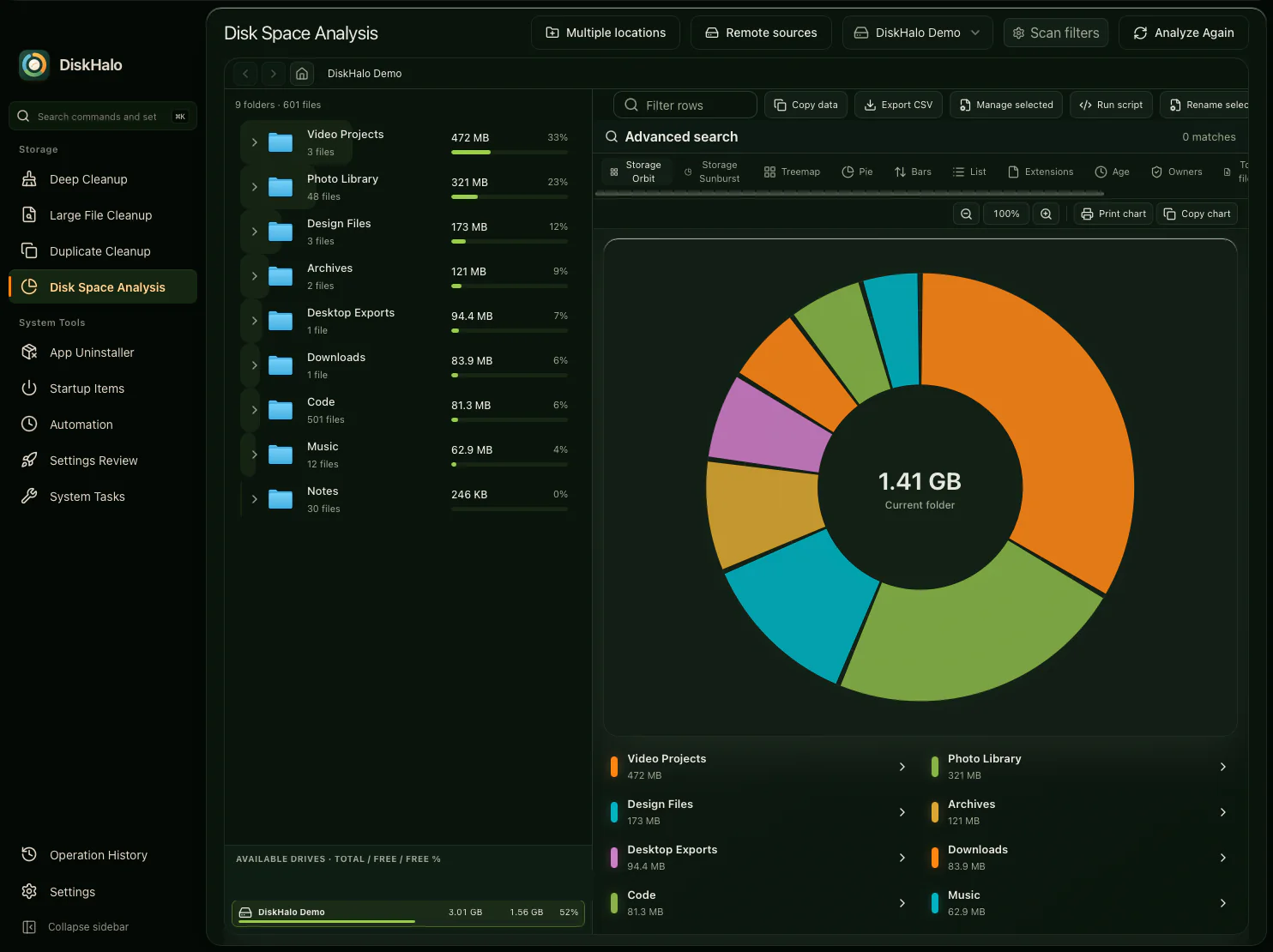
DiskHalo Disk Space Analysis in the Storage Orbit view: a folder tree with sizes and share bars on the left, and a ring chart of the demo volume with its total in the centre and a colour legend below.

A developer disk full of build caches and AI models.

Package caches, node_modules folders, Xcode data, Docker build cache and downloaded models pile up, project after project. You know they’re there, but not which ones you still need.

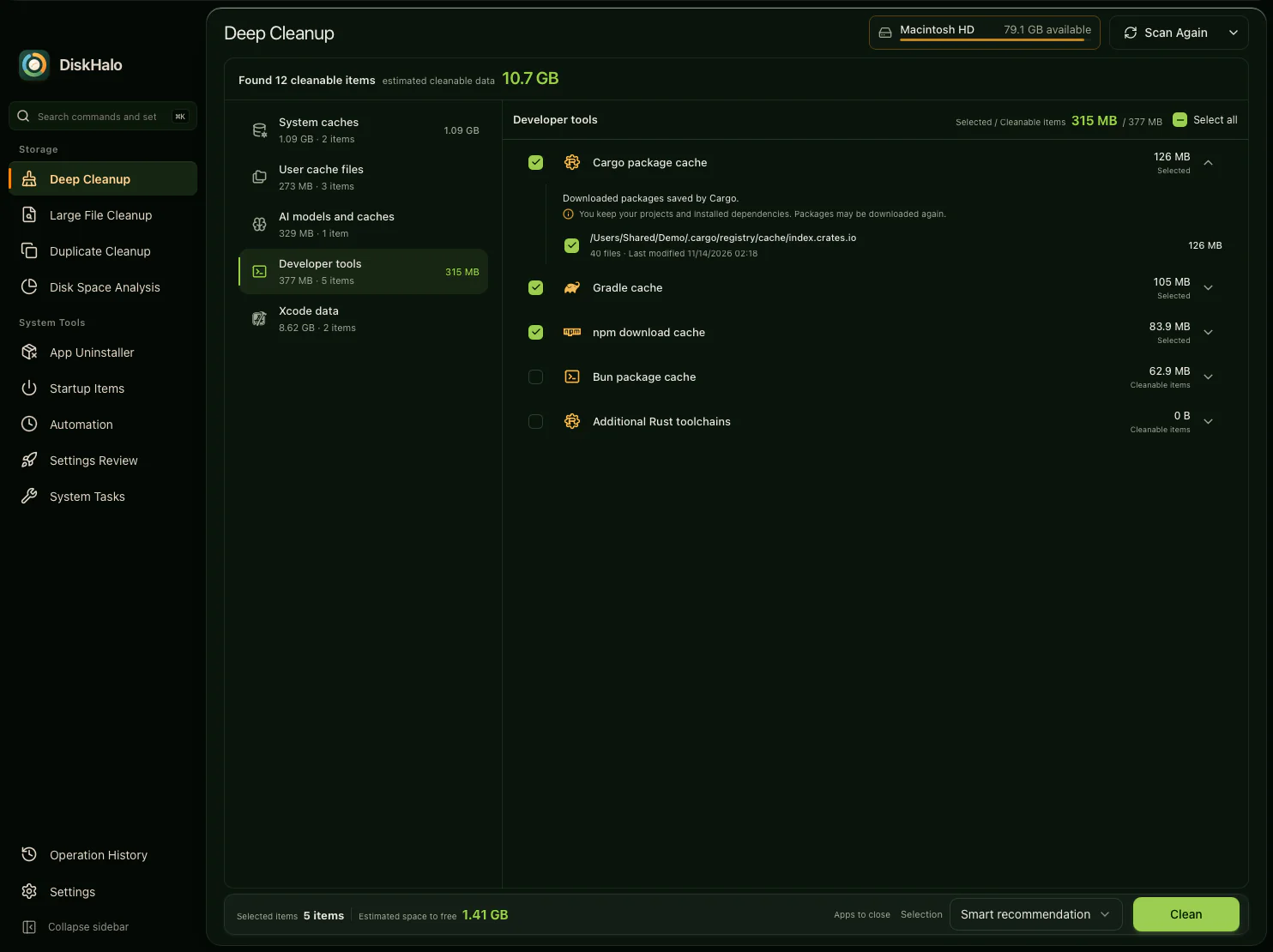
  1. Run Deep Cleanup to find developer caches, project build output and AI model stores.
  2. Expand any item to read what it holds and what you keep.
  3. Choose what to clear and confirm. AI models are removed only when you pick them yourself.
DiskHalo / Deep CleanupDemo data
DiskHalo Deep Cleanup results for a demo home folder: categories on the left, and the Developer tools category open with the Cargo package cache expanded to explain what it holds, what you keep and where it lives, above the Gradle, npm and Bun caches and additional Rust toolchains.

Big files you forgot you had.

Old videos, disk images, archives and installers sit in folders you rarely open, quietly taking up room long after you needed them.

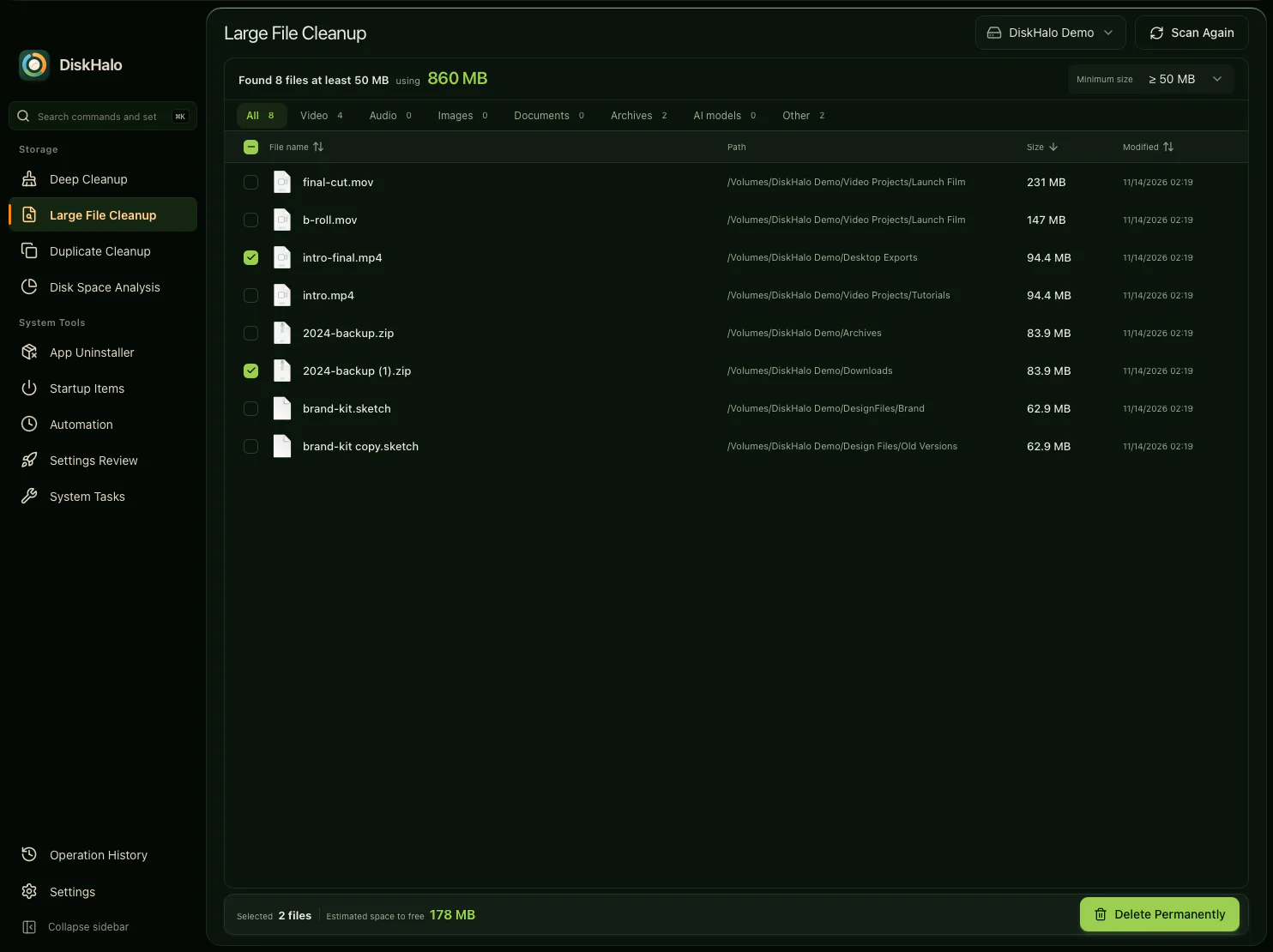
  1. Run Large File Cleanup on a drive or folder, and set the minimum size.
  2. Filter by video, archives, AI models or another type, and check each file’s path and date.
  3. Select the files you no longer need and confirm.
DiskHalo / Large File CleanupDemo data
DiskHalo Large File Cleanup on the demo volume with a 50 MB minimum: eight files listed with name, path, size and modified date, file type tabs above, and two files selected with their estimated space to free.

Duplicate photos, exports and downloads.

The same photos imported twice, an export saved in three places, a file you downloaded again. The names don’t match, so you can’t spot the copies by eye.

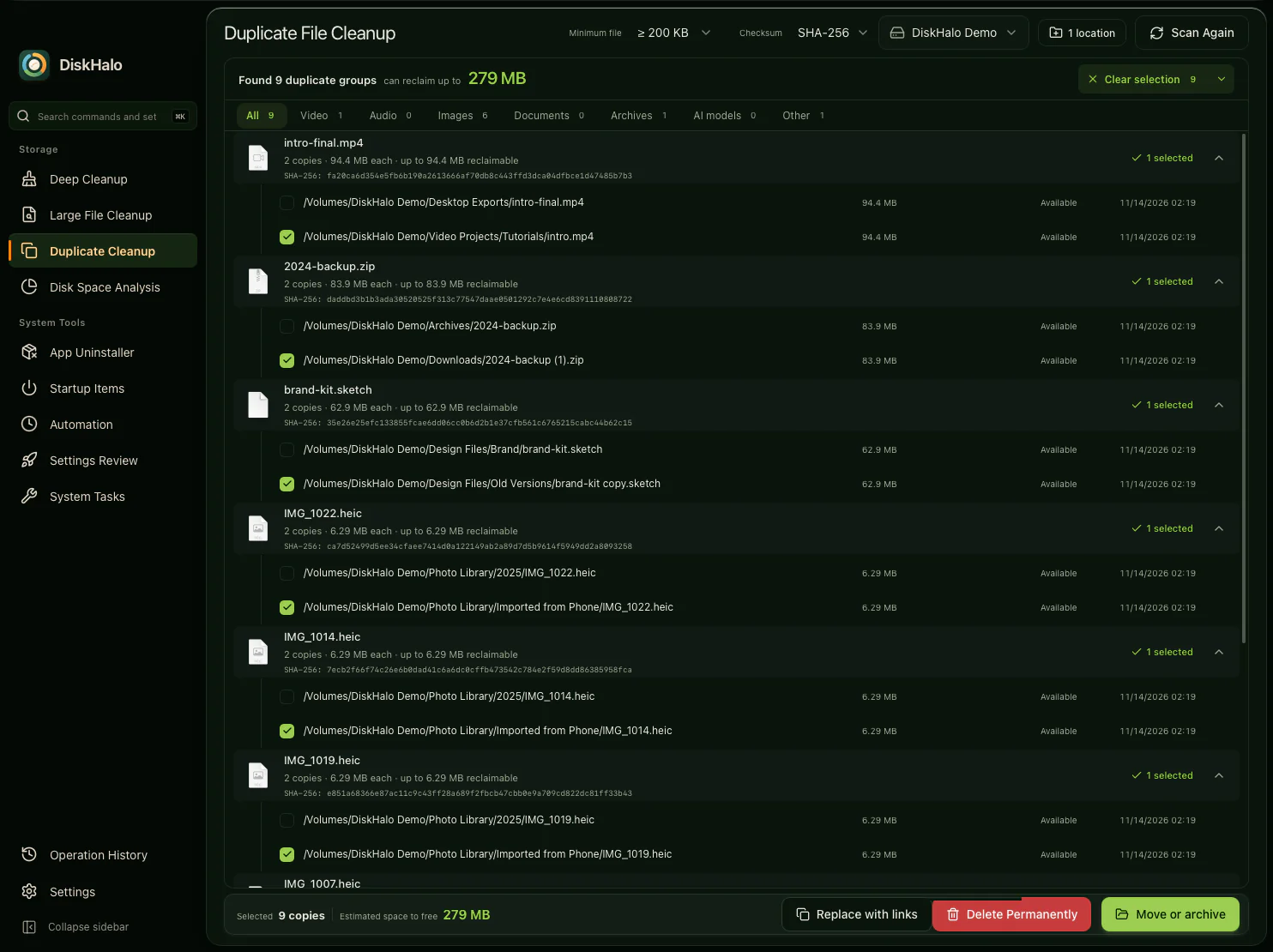
  1. Run Duplicate Cleanup to group files with identical content, whatever their names.
  2. Let smart select keep one copy in each group, by path, name or date.
  3. Delete the extra copies, move them to an archive, or replace them with links.
DiskHalo / Duplicate CleanupDemo data
DiskHalo Duplicate Cleanup on the demo volume: groups of identical files, each showing its copies, size and SHA-256 checksum, with one copy in each group selected by smart select.

Removing an app, and what it left behind.

Deleting an app rarely removes everything. Caches, preferences and support files stay behind long after the app has gone.

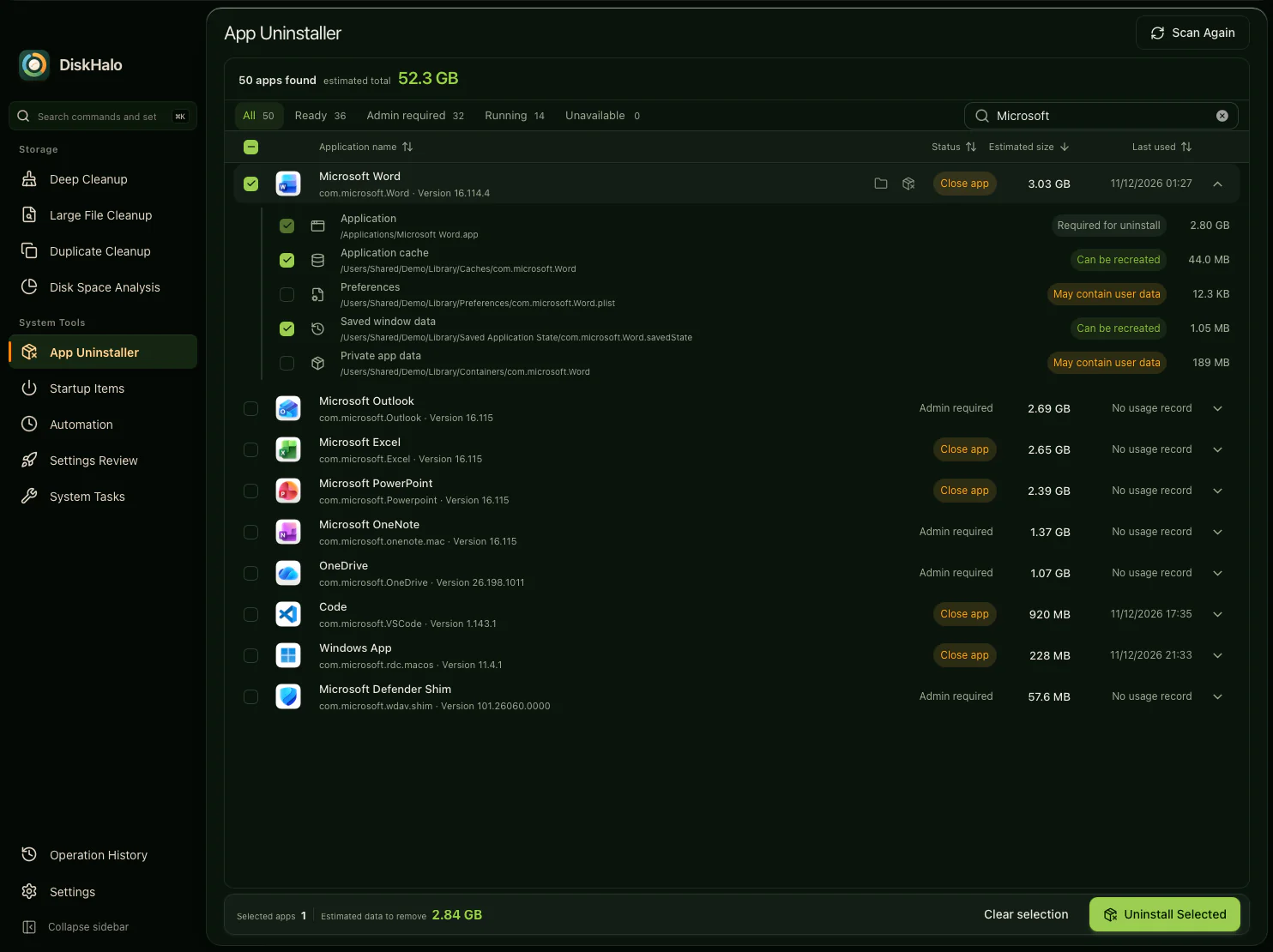
  1. Find the app in App Uninstaller. It shows whether the app must be closed or needs administrator approval.
  2. On Mac, review each related file, labelled required, can be recreated or may contain user data. On Windows, DiskHalo runs the app’s own uninstaller.
  3. On Mac, Deep Cleanup also finds leftovers from apps you removed before.
DiskHalo / App UninstallerDemo data
DiskHalo App Uninstaller filtered to Microsoft apps, with Microsoft Word selected and expanded to show its related items, each labelled required, can be recreated or may contain user data, and a status column showing which apps must be closed or need administrator approval.

Checking a NAS, bucket or SharePoint library without downloading it.

Shared storage fills up too, but downloading a whole bucket or document library just to see what’s inside isn’t realistic.

  1. Open Remote sources and choose the provider: Amazon S3, Azure Blob Storage, Google Drive, SharePoint, Outlook, WebDAV or SFTP.
  2. Add up to eight locations and a saved credential. Credentials stay in your system’s credential vault.
  3. Explore the results in the same views you use for a local drive. DiskHalo reads names, sizes and dates, never file contents.
DiskHalo / Remote sourcesDemo data
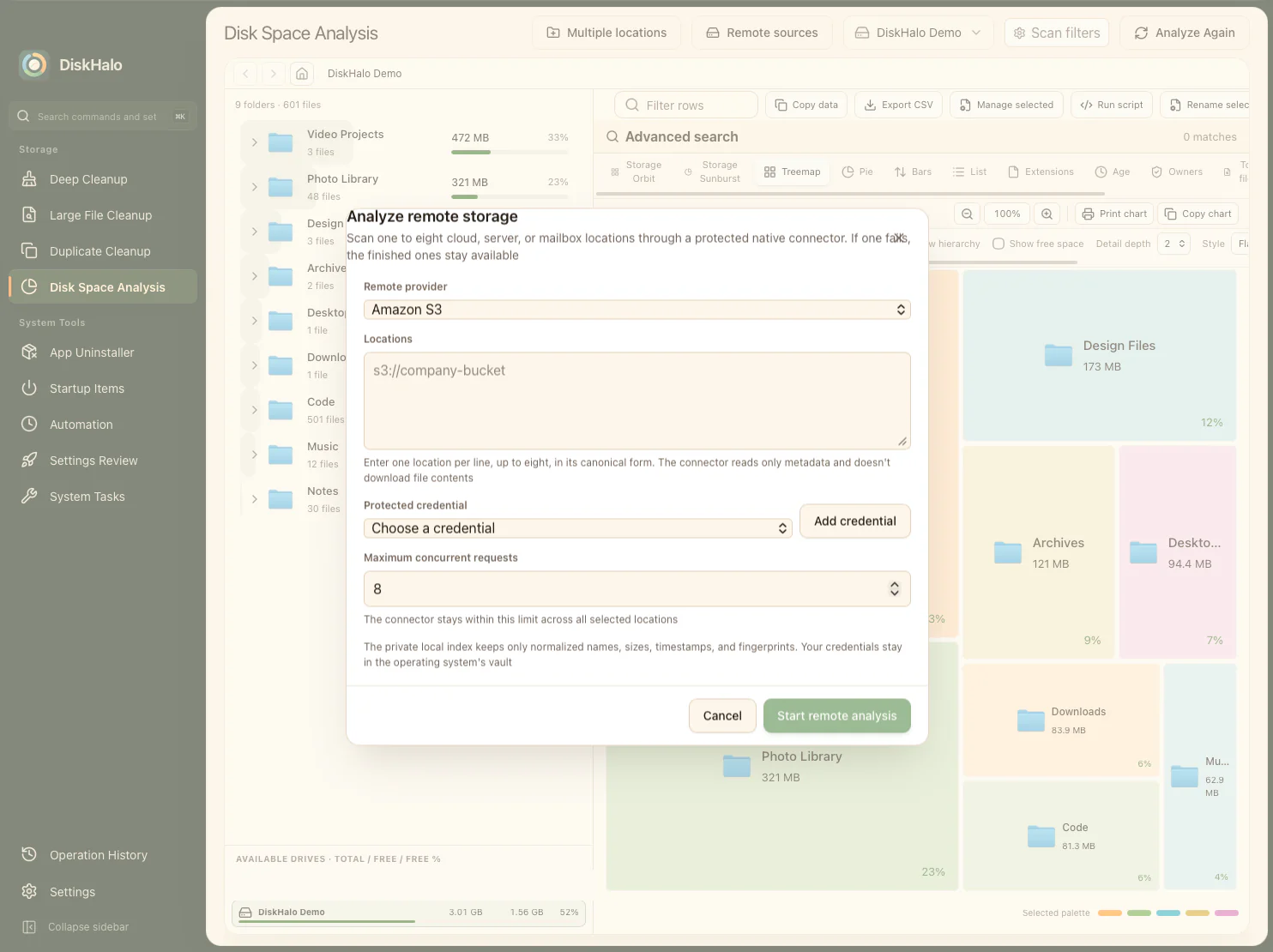
The DiskHalo remote storage dialog over the treemap, in the light theme: Amazon S3 chosen as the provider, a box for up to eight locations, a saved credential picker, the number of concurrent requests and a button to start the remote analysis.

Too many things start when you sign in.

Helpers, updaters and background agents arrive with every app you install, and some stay behind after the app has gone.

  1. Open Startup Items to see what starts with your computer and when you sign in.
  2. Expand an item to see what it runs and whether it needs attention.
  3. Switch off what you don’t need, and remove entries whose app is gone.
DiskHalo / Startup ItemsDemo data
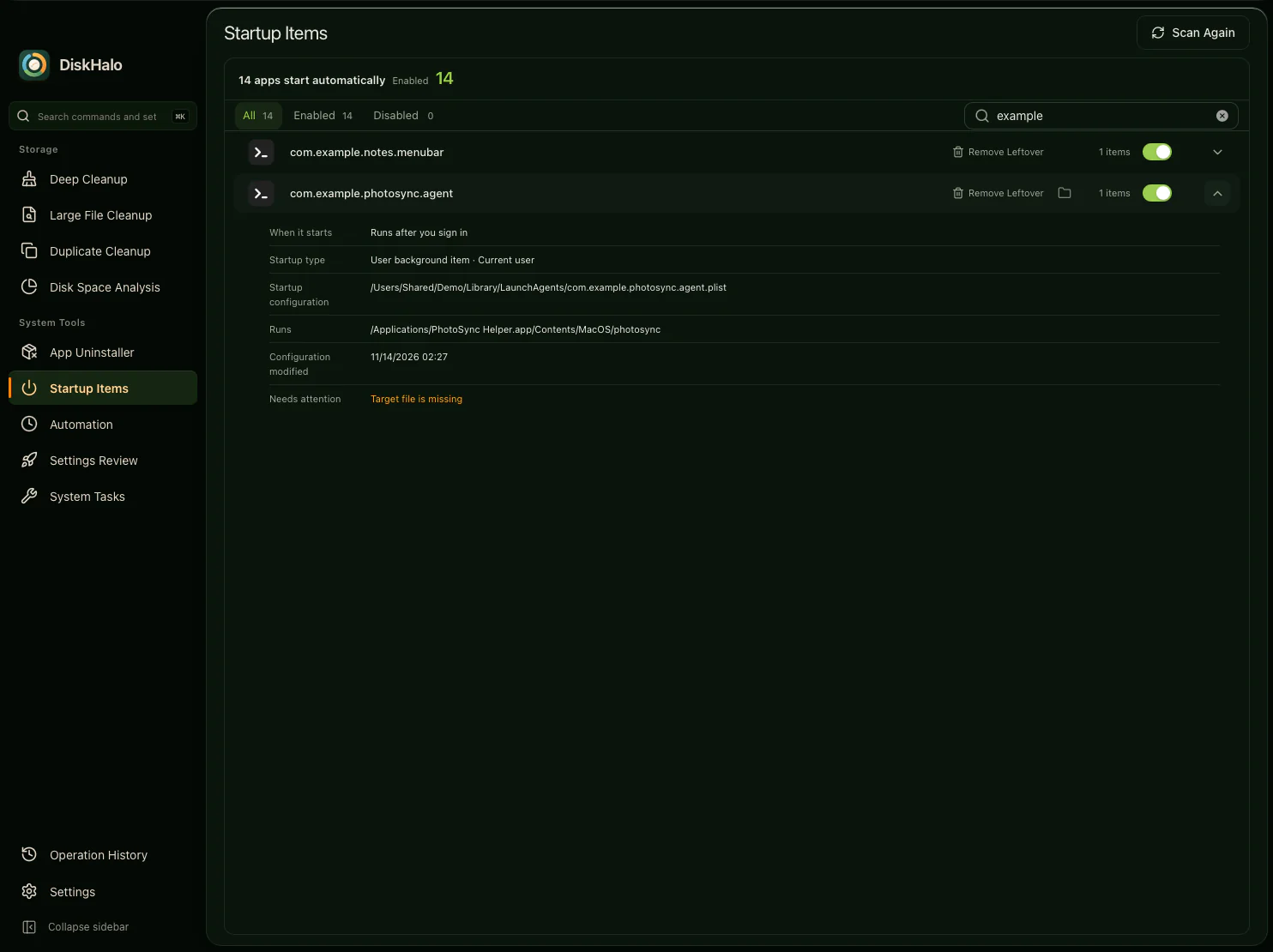
DiskHalo Startup Items showing two demo launch agents with on and off switches, one expanded to show when it starts, its startup type, its configuration file and what it runs, with a warning that its target file is missing.

A weekly storage report on a schedule.

Windows

You want to see how a drive or project folder is growing, without remembering to check it every week.

  1. Create an Automation job with the locations to scan, a comparison snapshot and an export.
  2. Email the report through your own mail server, or save it as XLSX, PDF or CSV.
  3. Schedule it to run weekly. Every run keeps an audit trail.
DiskHalo / AutomationDemo data
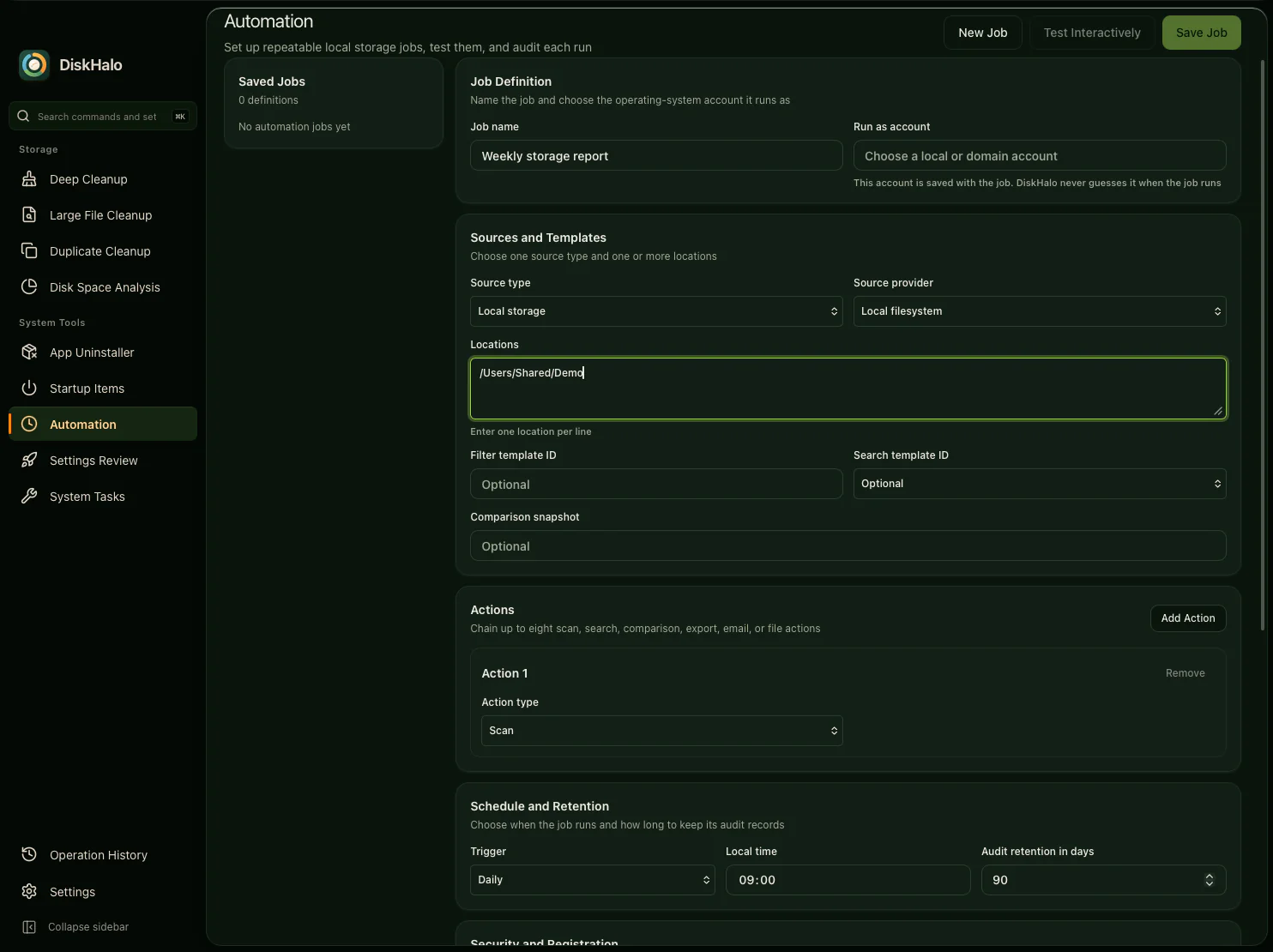
The DiskHalo Automation job editor for a job named Weekly storage report: sources and templates, a comparison snapshot, a list of chained actions, and a daily schedule at 09:00 with 90 days of audit retention.

See it before you remove it. Nothing is deleted without your confirmation. Cleanup deletions are permanent. This applies to Deep Cleanup, Large File, Duplicate, app-leftover and Uninstaller deletions.

See every screen.

Follow DiskHalo from the first scan to a confirmed cleanup, with real screens and demo data.

Explore the features

One price. Mac and Windows. Up to 3 personal devices.

Take the tour

Amazon S3, Azure, Google Drive, Microsoft SharePoint, Microsoft Outlook and the other product names on this page are trademarks of their respective owners. DiskHalo is not affiliated with, sponsored or endorsed by them.