See DiskHalo,
screen by screen.

Real screens from DiskHalo on Mac, scanning demo files, from the first scan to a confirmed cleanup.

Find the space.
Then follow it down.

Scan a drive, a folder or up to eight locations at once, then look at the same results in whichever view answers your question.

Storage Orbit

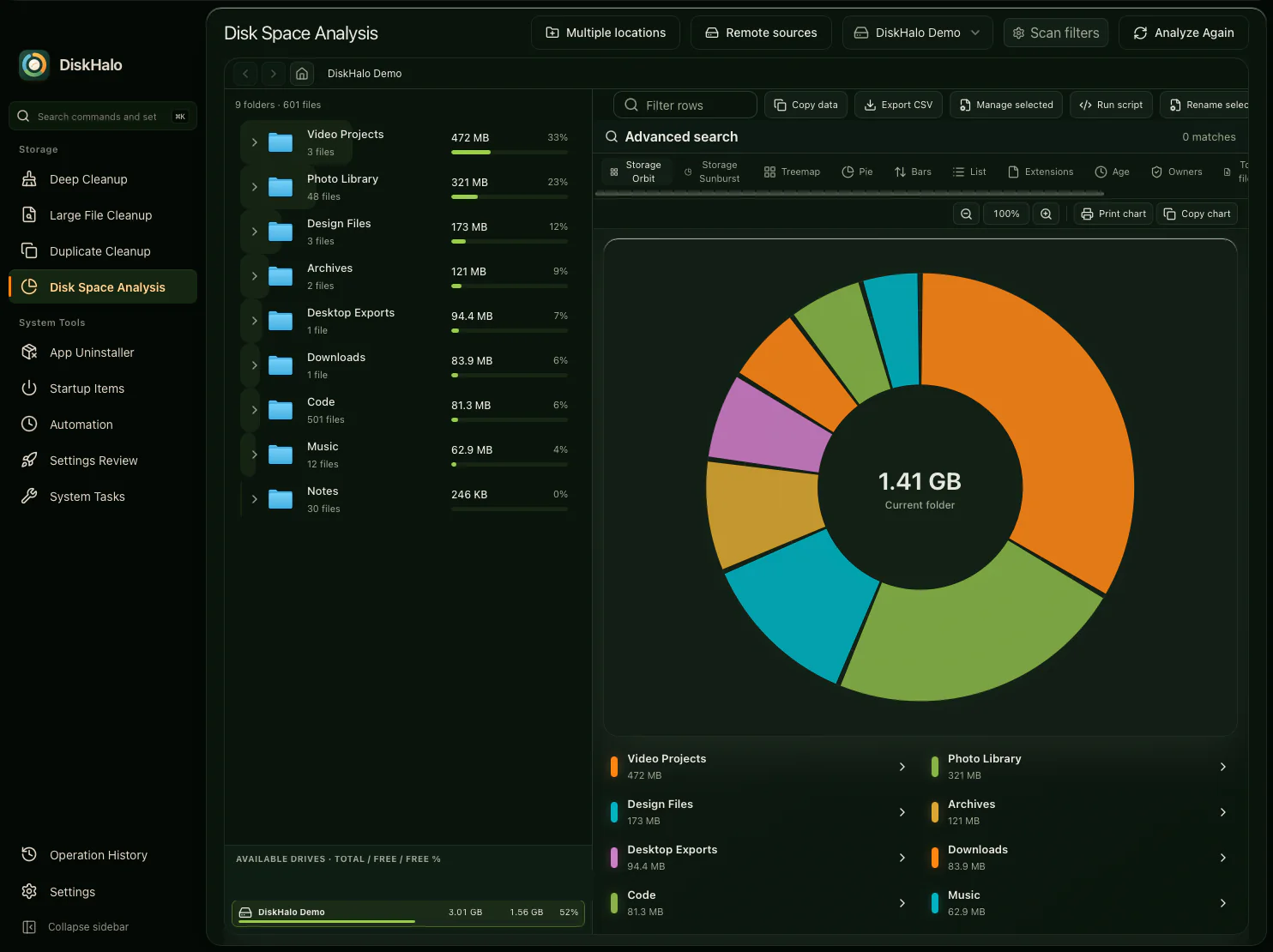
The folder tree on the left, the ring on the right. Every arc is a folder sized by the space it uses, so the biggest ones stand out at a glance.

View full size
DiskHalo / Storage OrbitDemo data
DiskHalo Disk Space Analysis in the Storage Orbit view: a folder tree with sizes and share bars on the left, and a ring chart of the demo volume with its total in the centre and a colour legend below.

Storage Sunburst

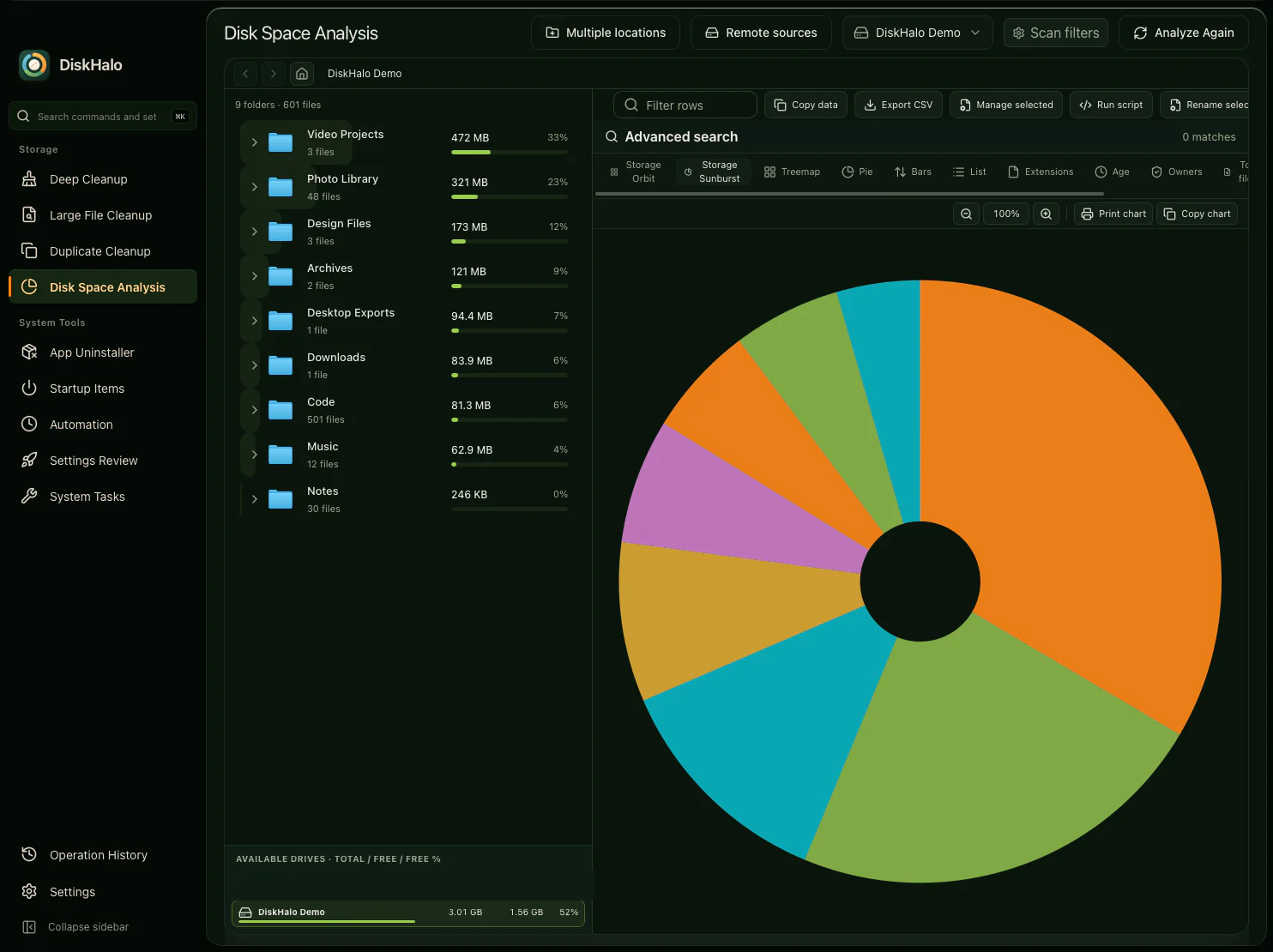
Each folder as a wedge radiating from the centre, sized by its space, with the folder tree beside it for the exact figures.

View full size
DiskHalo / Storage SunburstDemo data
DiskHalo Disk Space Analysis in the Storage Sunburst view: the folders of the demo volume drawn as wedges radiating from a small centre, beside the folder tree with each folder’s size and share.

Treemap

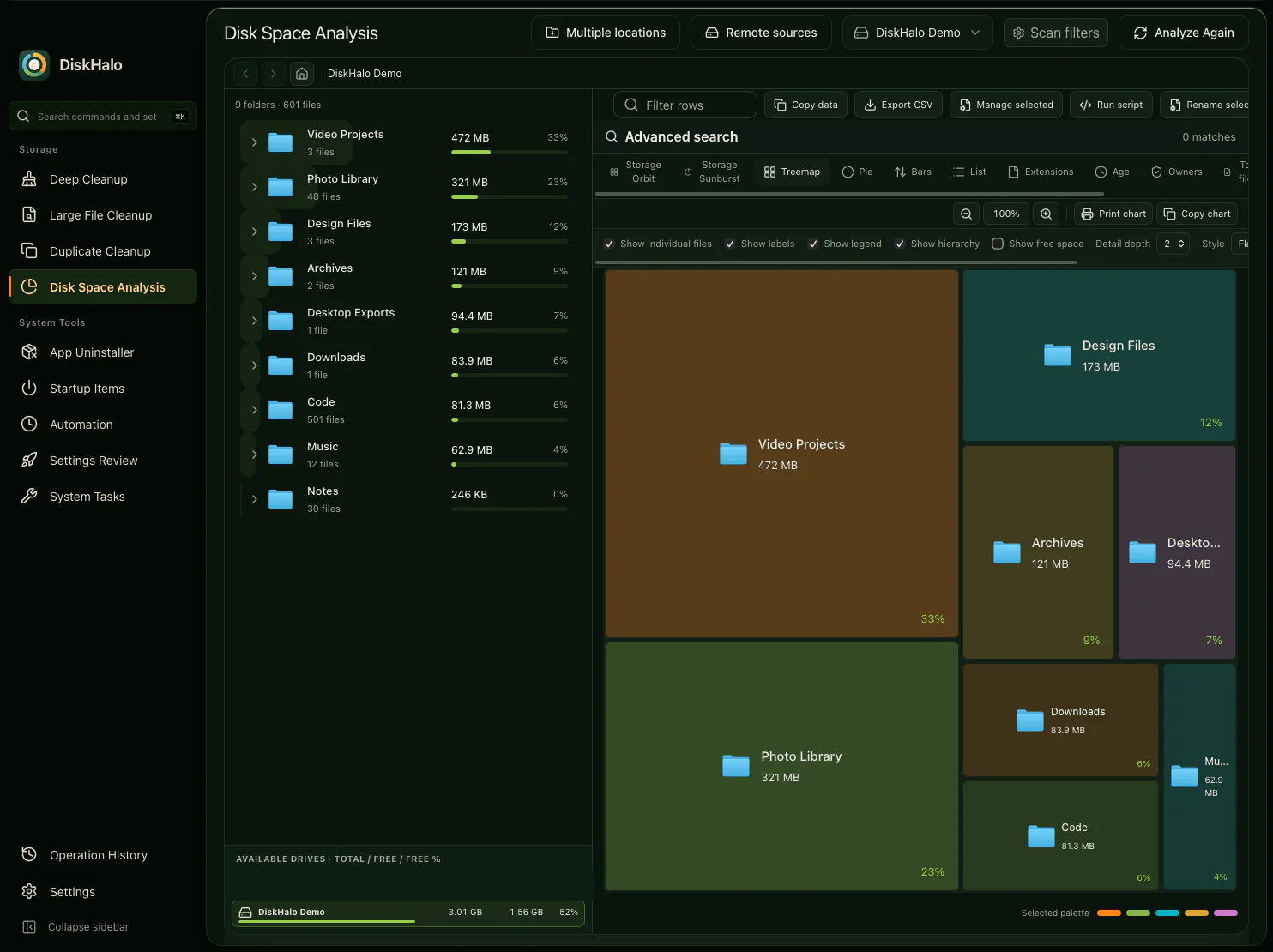
Every folder as a rectangle sized by its space and labelled with its size and share. Show individual files, a legend, the hierarchy or free space, and set the detail depth.

View full size
DiskHalo / TreemapDemo data
DiskHalo Disk Space Analysis in the Treemap view: the folders of the demo volume drawn as rectangles sized by the space they use, each labelled with its name, size and share, under a row of display options.

Pie

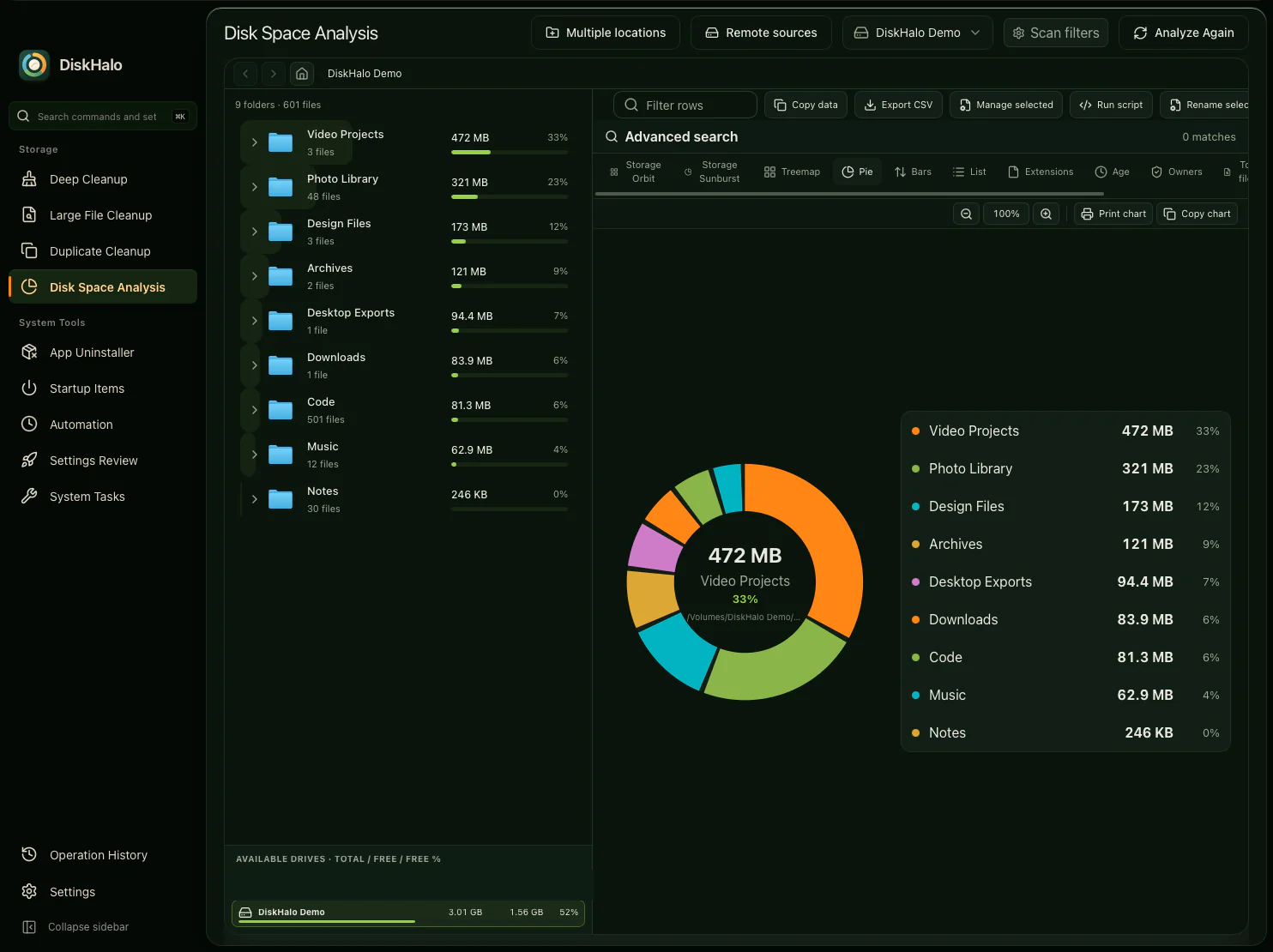
The largest folder in the middle of the ring, with every folder’s size and share in the legend beside it.

View full size
DiskHalo / PieDemo data
DiskHalo Disk Space Analysis in the Pie view: a ring chart with the largest folder named in the centre, beside a legend listing the size and share of each folder.

Bars

One bar per folder, with its size and percentage. The quickest way to rank what’s taking the most room.

View full size
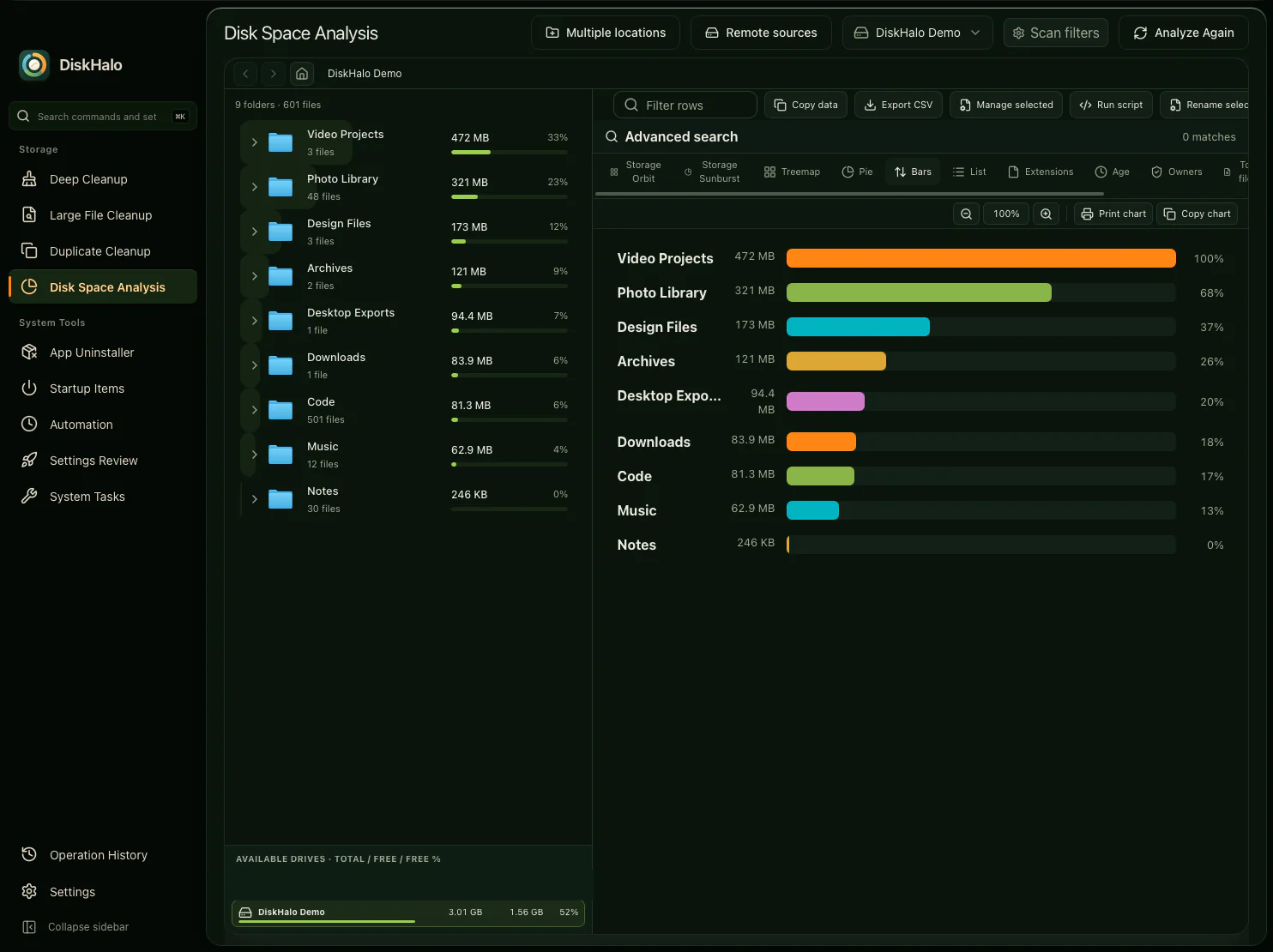
DiskHalo / BarsDemo data
DiskHalo Disk Space Analysis in the Bars view: one horizontal bar per folder, each with its size and percentage.

Light theme

The same treemap in the light theme. DiskHalo can follow your system, or stay light or dark.

View full size
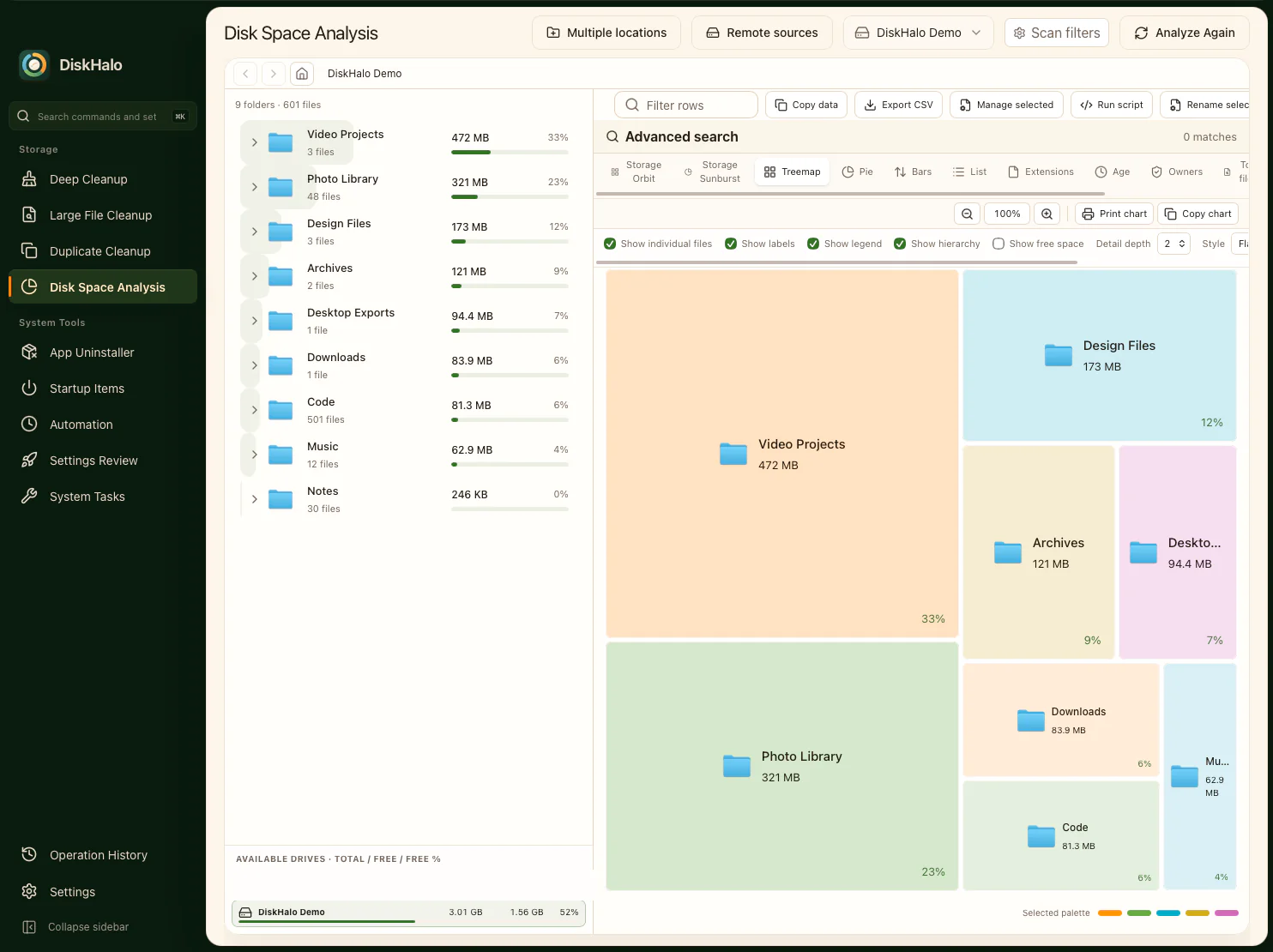
DiskHalo / TreemapDemo data
The DiskHalo Treemap view in the light theme, with a cream content area.

Remote sources

Choose a provider, list up to eight locations and pick a saved credential. DiskHalo reads names, sizes and dates, never file contents, and keeps credentials in your system’s vault.

View full size
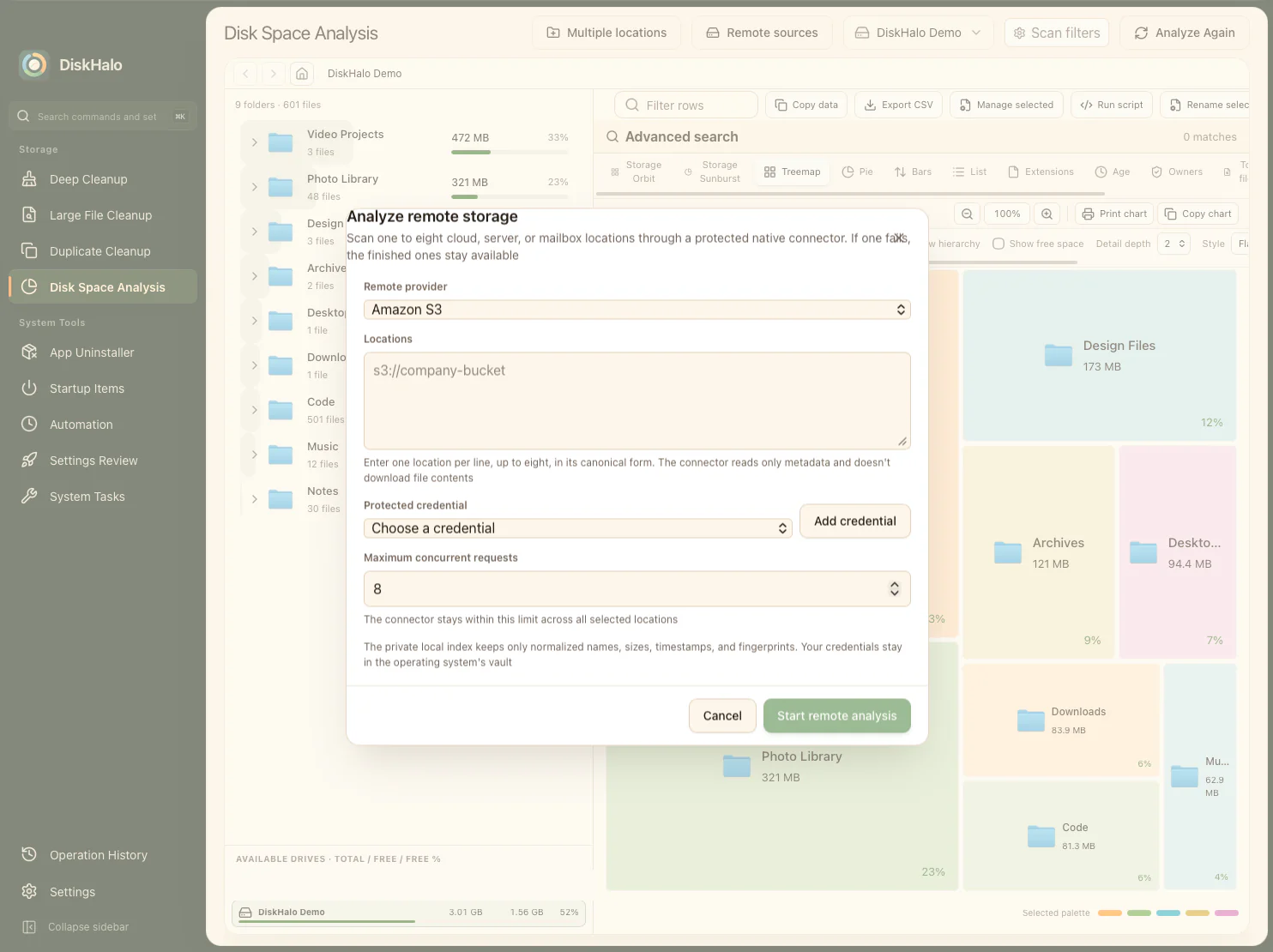
DiskHalo / Remote sourcesDemo data
The DiskHalo remote storage dialog over the treemap, in the light theme: Amazon S3 chosen as the provider, a box for up to eight locations, a saved credential picker, the number of concurrent requests and a button to start the remote analysis.

Review first.
Then clean up.

Every item comes with what it holds and what you keep, so you decide with the facts in front of you.

See it before you remove it. Nothing is deleted without your confirmation. Cleanup deletions are permanent. This applies to Deep Cleanup, Large File, Duplicate, app-leftover and Uninstaller deletions.

Deep Cleanup

Cleanable items grouped by category, from system caches to developer tools. Expand one to read what it holds and what you keep, and see the space to free and any apps to close first.

View full size
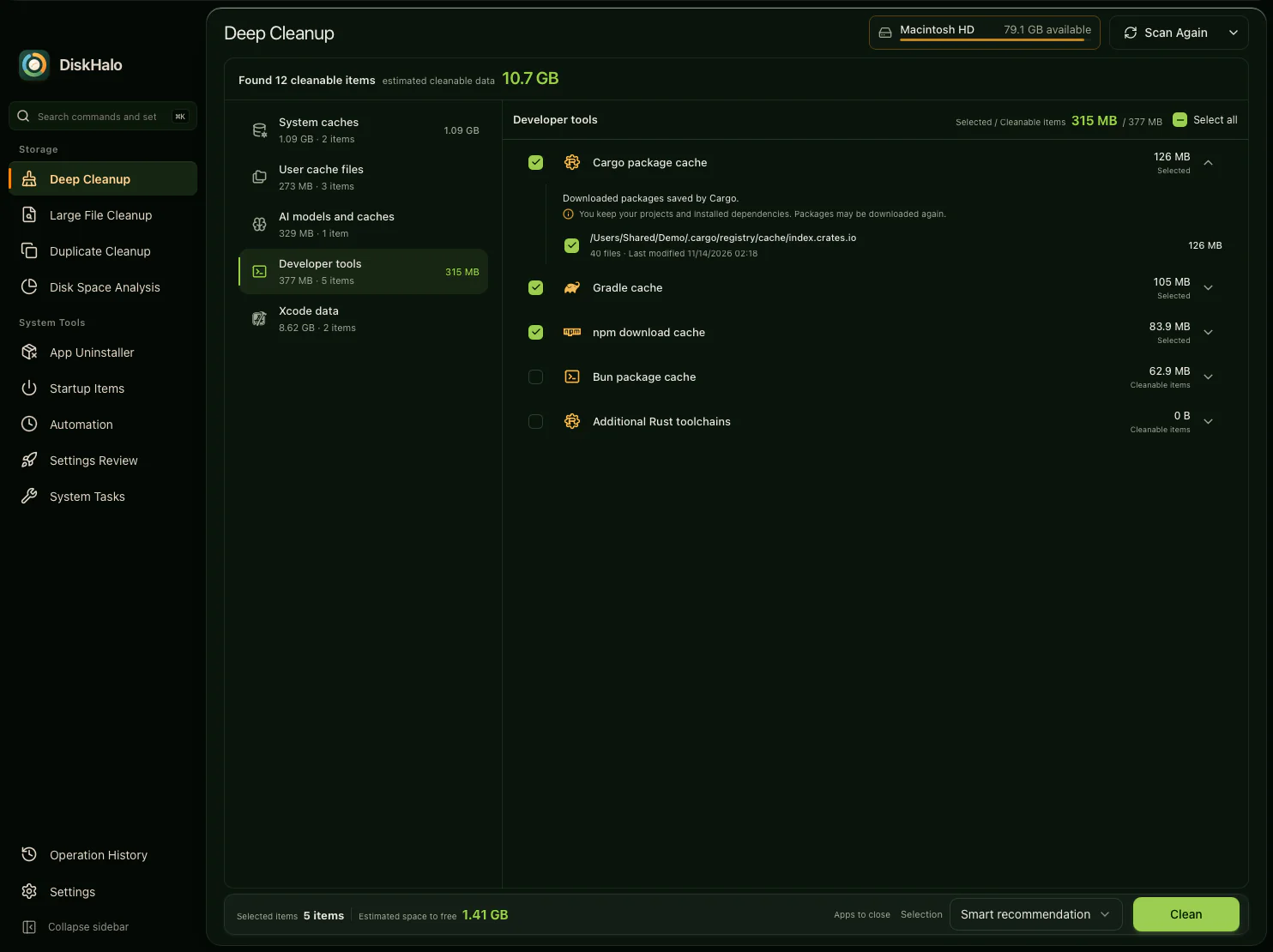
DiskHalo / Deep CleanupDemo data
DiskHalo Deep Cleanup results for a demo home folder: categories on the left, and the Developer tools category open with the Cargo package cache expanded to explain what it holds, what you keep and where it lives, above the Gradle, npm and Bun caches and additional Rust toolchains.

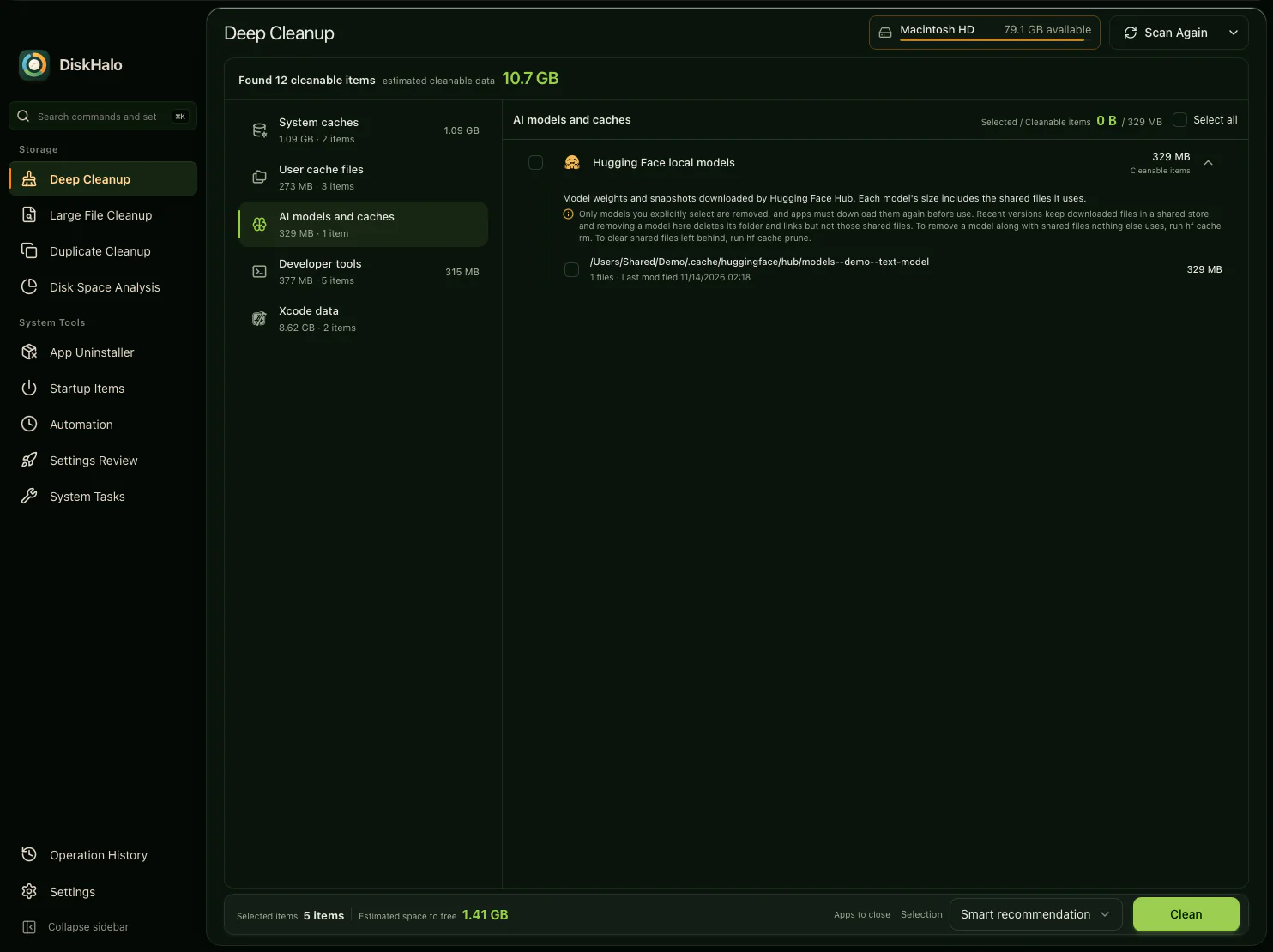
AI models and caches

Downloaded models, such as Hugging Face local models, explained like every other item. Models are never selected for you, so only the ones you pick are removed.

View full size
DiskHalo / Deep CleanupDemo data
DiskHalo Deep Cleanup with the AI models and caches category open: Hugging Face local models expanded to explain that only the models you select are removed and that apps download them again, with one demo model listed.

Large File Cleanup

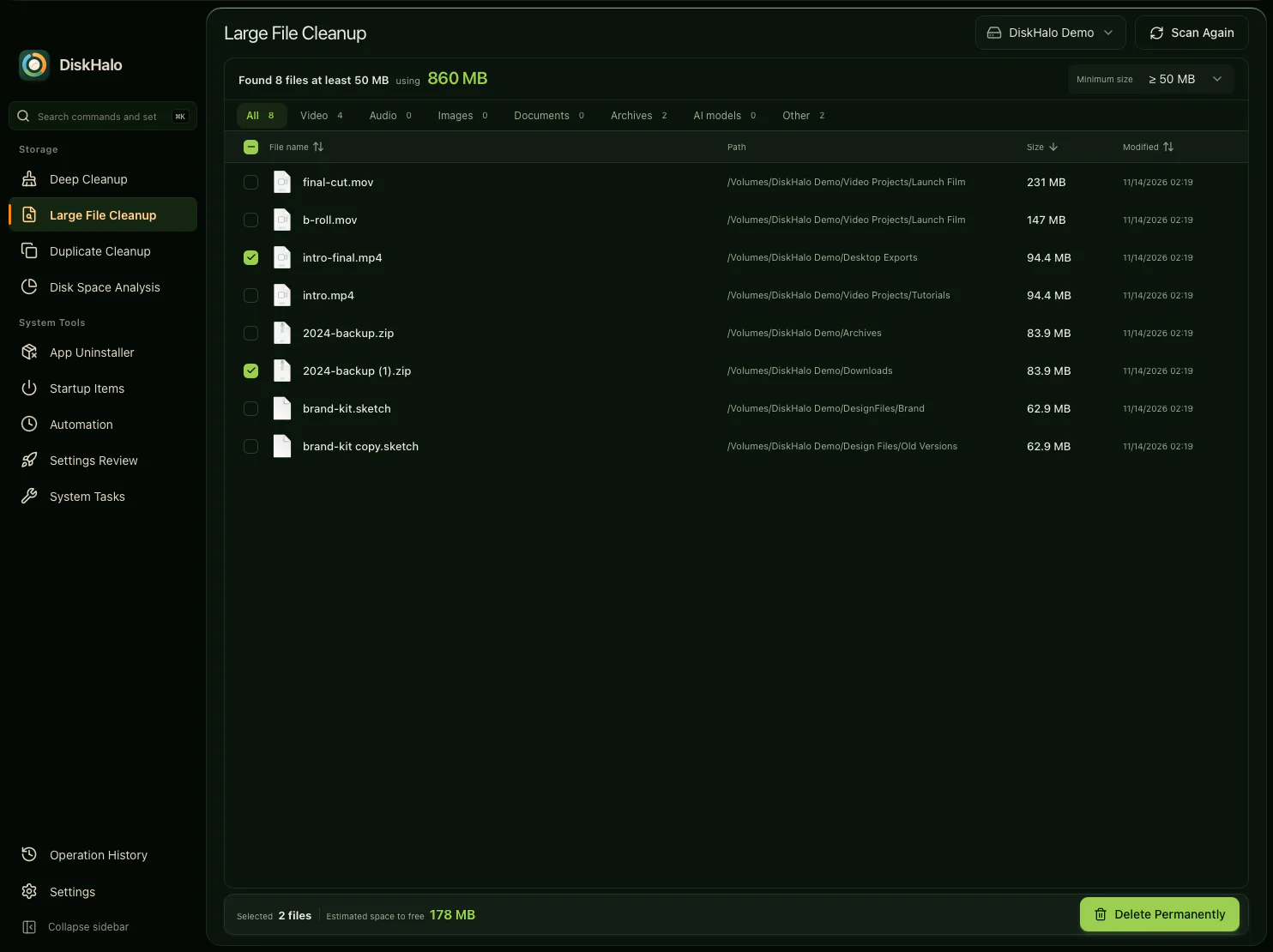
Every file above the size you choose, with its path, size and date. Filter by video, audio, images, documents, archives or AI models.

View full size
DiskHalo / Large File CleanupDemo data
DiskHalo Large File Cleanup on the demo volume with a 50 MB minimum: eight files listed with name, path, size and modified date, file type tabs above, and two files selected with their estimated space to free.

Duplicate Cleanup

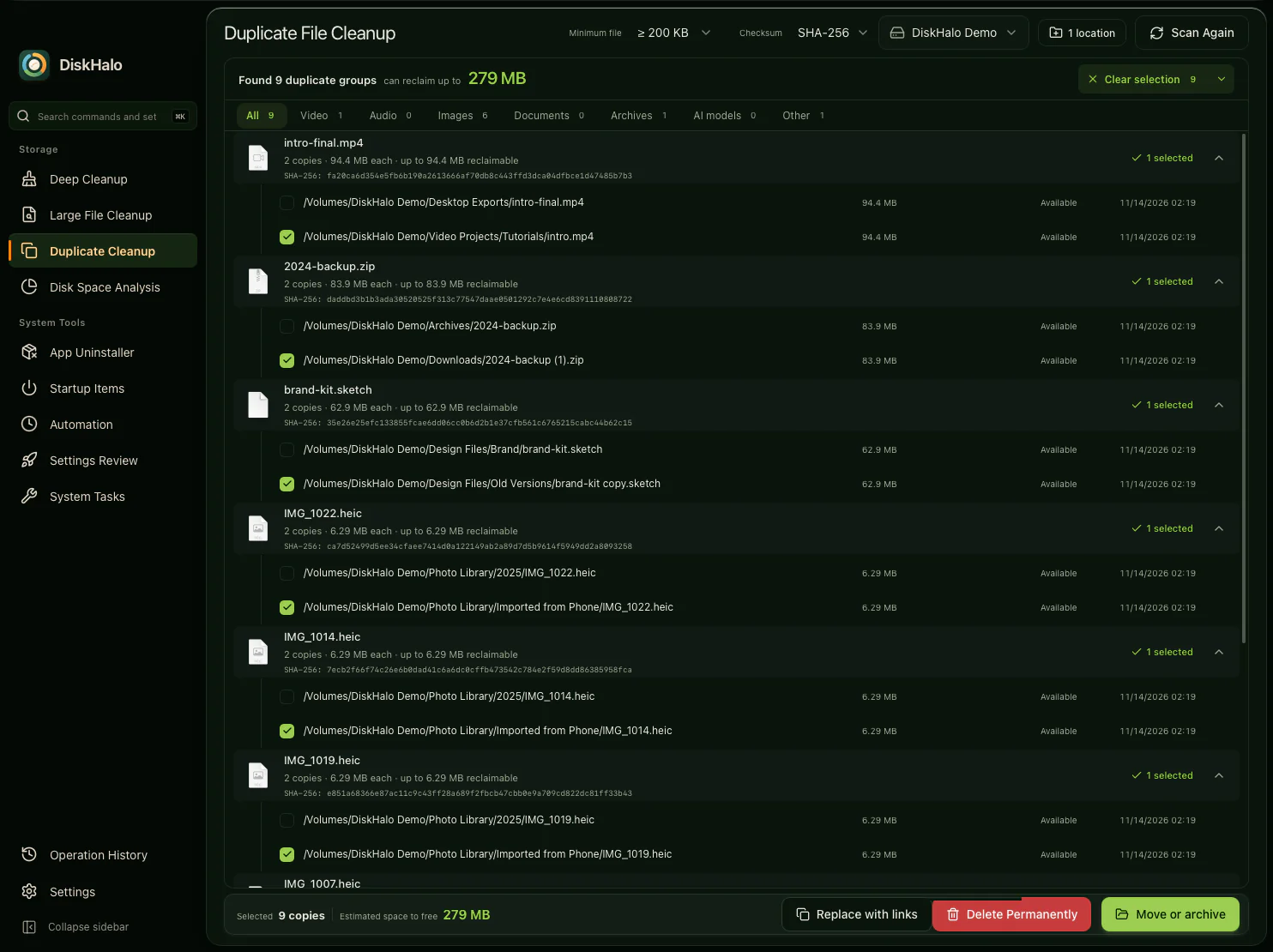
Files with identical content, grouped with their SHA-256 checksum. Smart select leaves one copy in every group, and you delete, move or archive the rest, or replace them with links.

View full size
DiskHalo / Duplicate CleanupDemo data
DiskHalo Duplicate Cleanup on the demo volume: groups of identical files, each showing its copies, size and SHA-256 checksum, with one copy in each group selected by smart select.

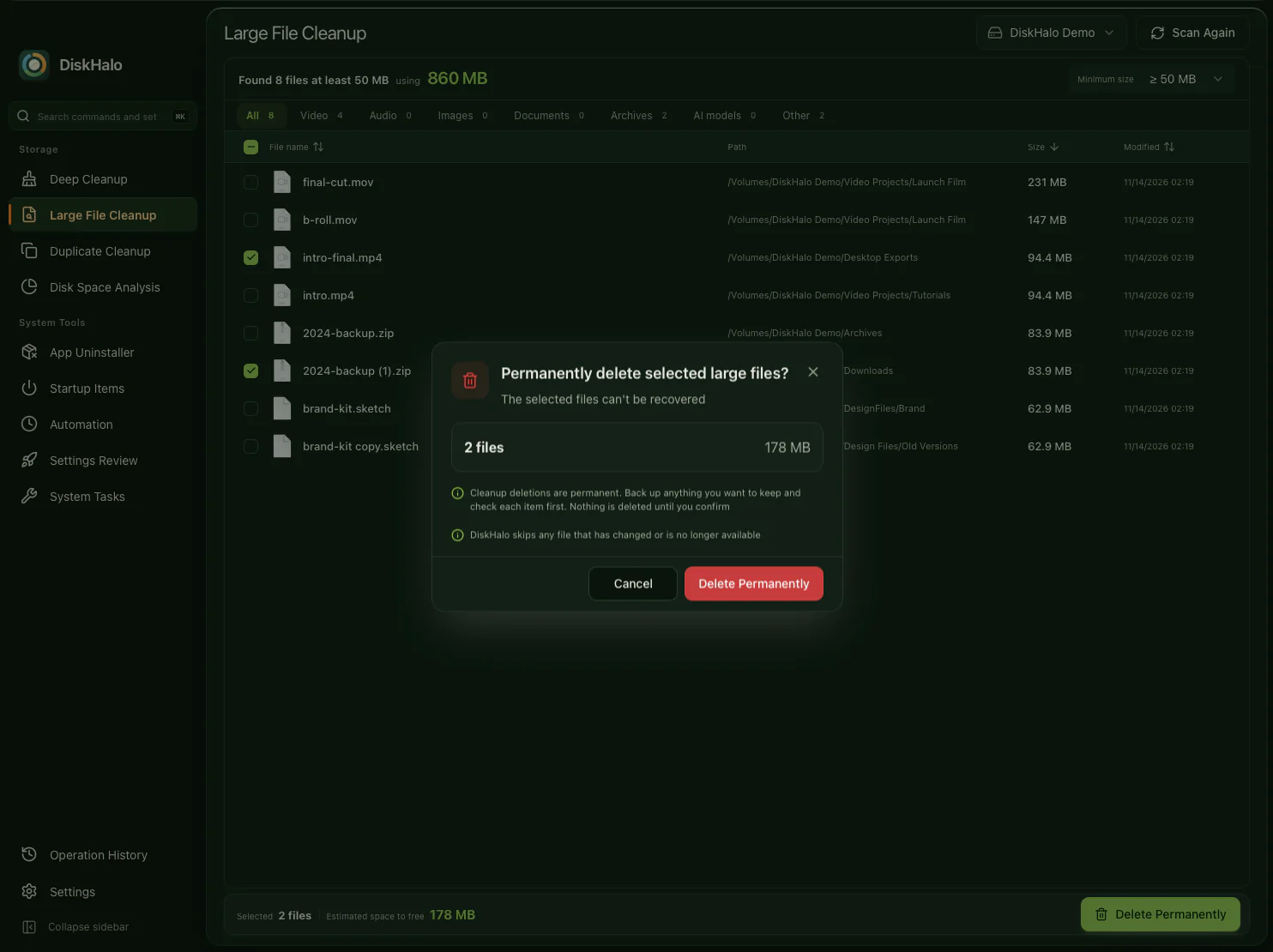
Confirm before anything goes

One last look at what you selected and the space it frees. Anything that changed since the scan is skipped.

View full size
DiskHalo / Large File CleanupDemo data
DiskHalo Large File Cleanup with its confirmation dialog: two selected files totalling 178 MB, a note that files which changed or are no longer available are skipped, and Cancel and Delete Permanently buttons.

Operation History

Every cleanup is recorded on your computer, with the space you expected to free, the space actually freed and what happened to each item.

View full size
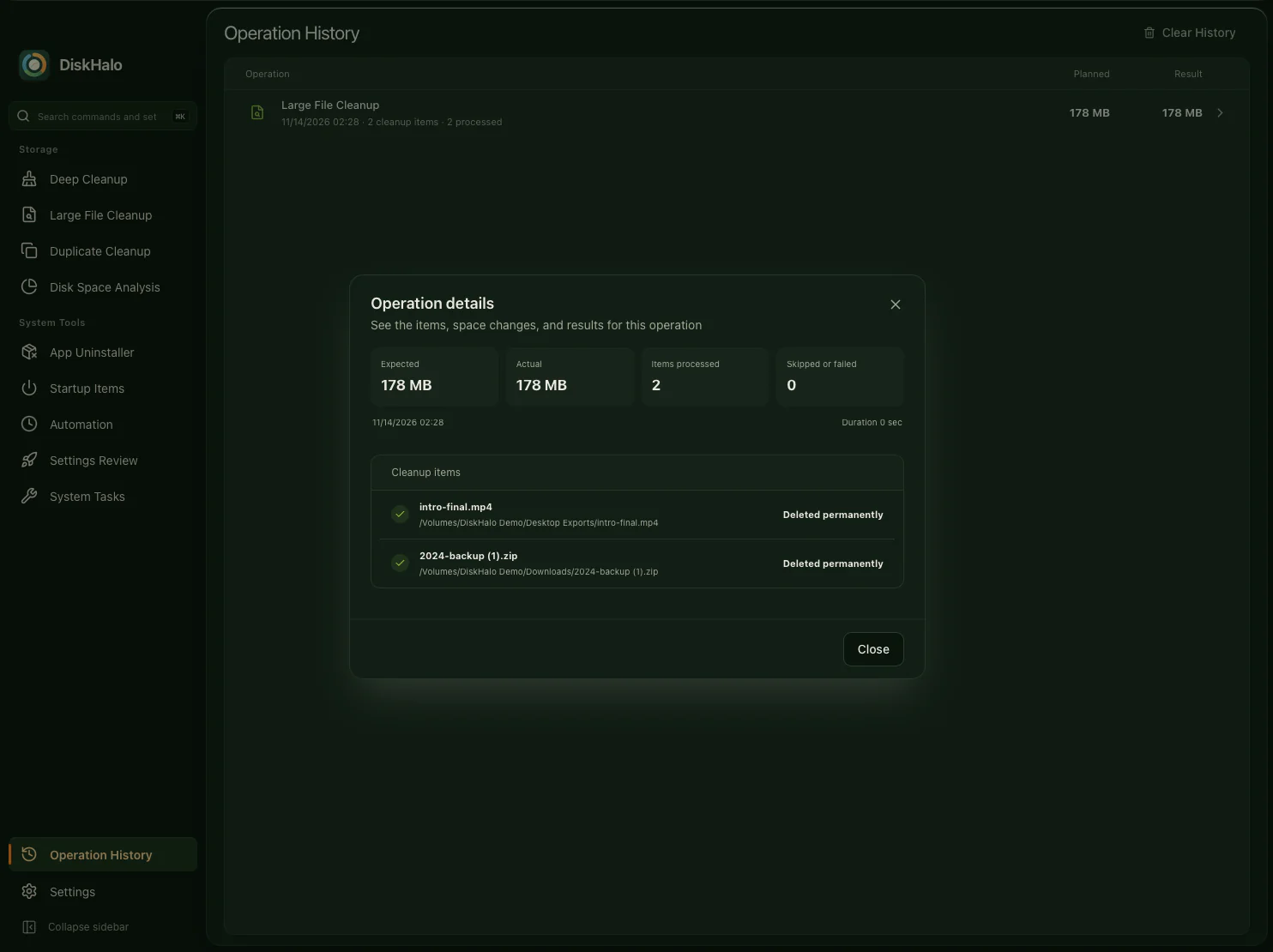
DiskHalo / Operation HistoryDemo data
DiskHalo Operation History showing the details of one cleanup: the expected and actual space freed, items processed, none skipped or failed, and the result for each item.

Beyond files.
Apps, startup and upkeep.

Remove apps with their related files, see what starts when you sign in, and run routine repairs from the same window.

App Uninstaller

On Mac, each app lists its related files with a plain label: required, can be recreated or may contain user data. See the estimated size and when it was last used, then choose exactly what goes.

View full size
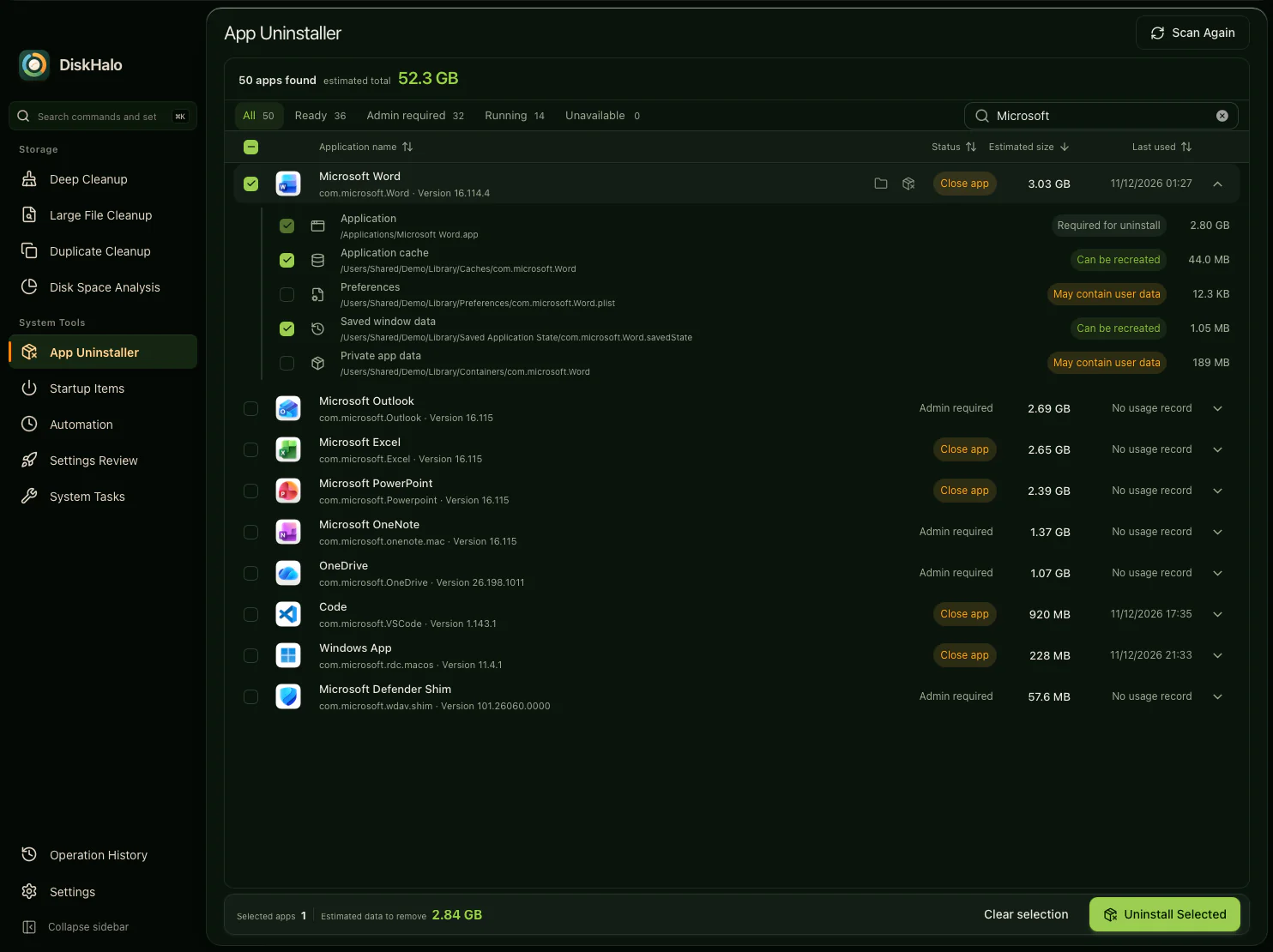
DiskHalo / App UninstallerDemo data
DiskHalo App Uninstaller filtered to Microsoft apps, with Microsoft Word selected and expanded to show its related items, each labelled required, can be recreated or may contain user data, and a status column showing which apps must be closed or need administrator approval.

Startup Items

What starts after you sign in, and what each item runs. Switch items off, or remove a leftover entry whose target file is gone.

View full size
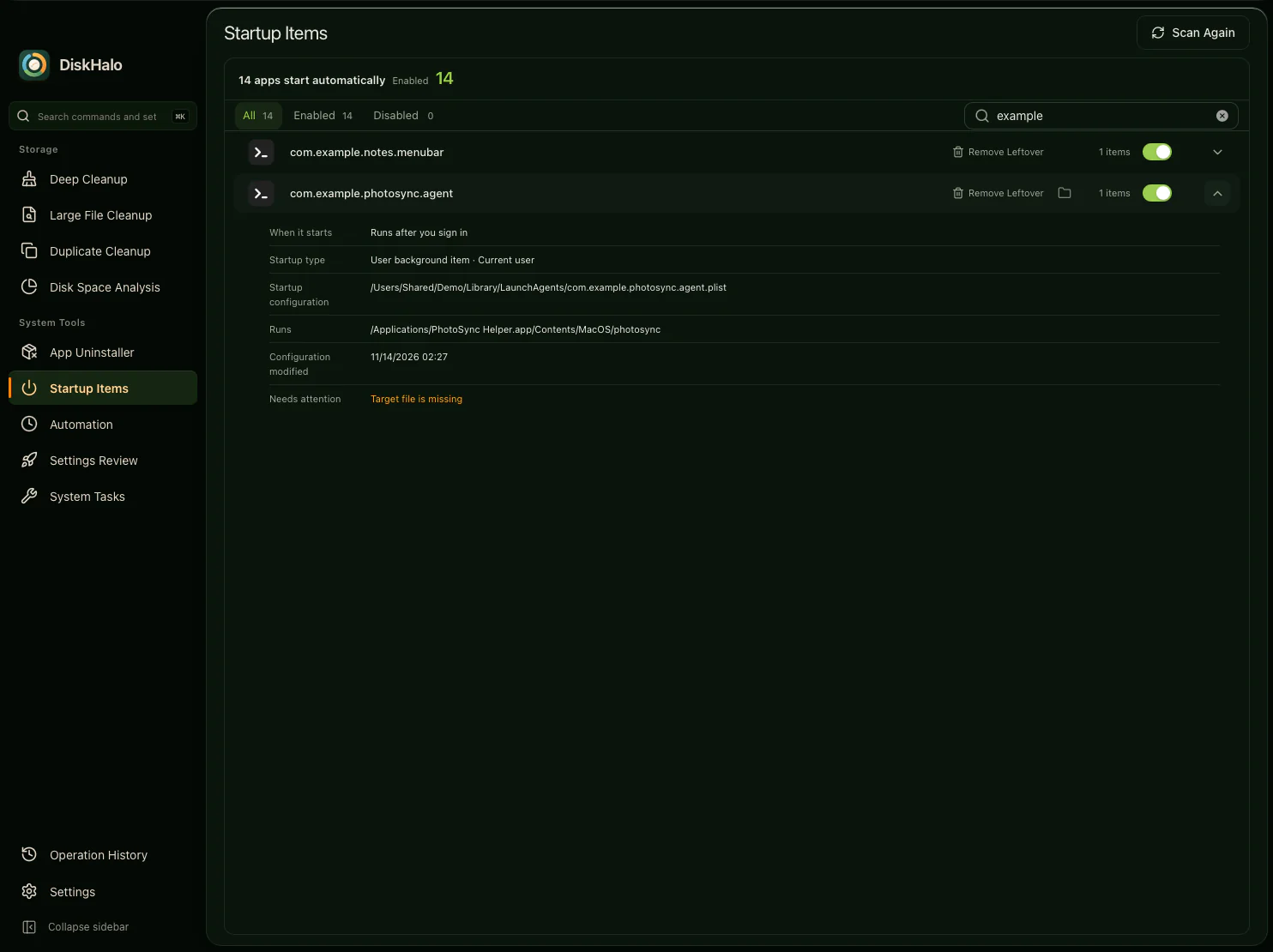
DiskHalo / Startup ItemsDemo data
DiskHalo Startup Items showing two demo launch agents with on and off switches, one expanded to show when it starts, its startup type, its configuration file and what it runs, with a warning that its target file is missing.

System Tasks

Routine repairs in one list, from rebuilding the Spotlight index to refreshing the DNS cache. Tasks that need administrator approval are marked.

View full size
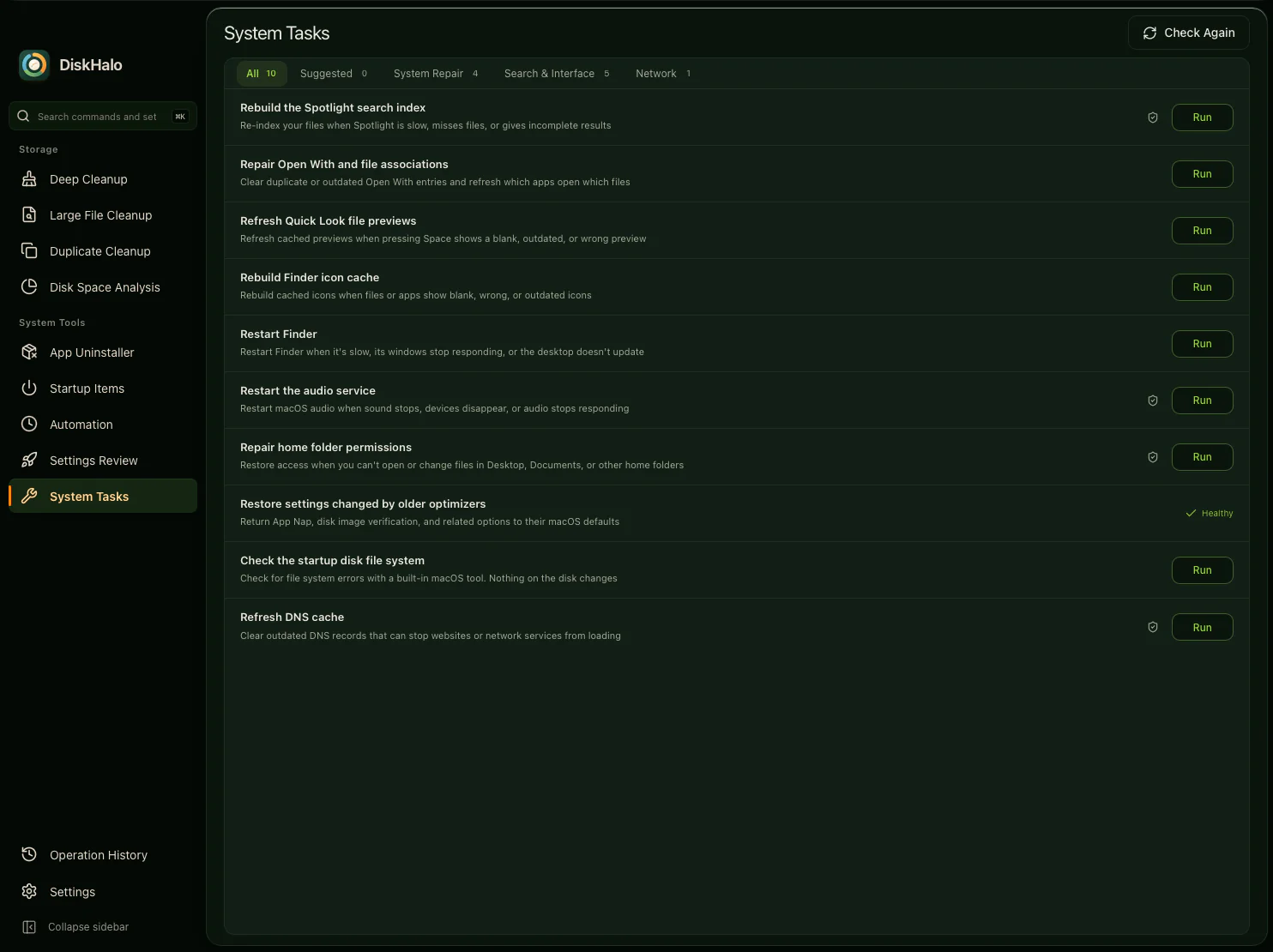
DiskHalo / System TasksDemo data
DiskHalo System Tasks on Mac: maintenance tasks such as rebuilding the Spotlight search index, refreshing Quick Look previews and refreshing the DNS cache, each with a Run button, under Suggested, System Repair, Search and Interface, and Network tabs.

Set it up once.
Make it yours.

Build repeatable jobs for scans and reports, and set DiskHalo up the way you like to work.

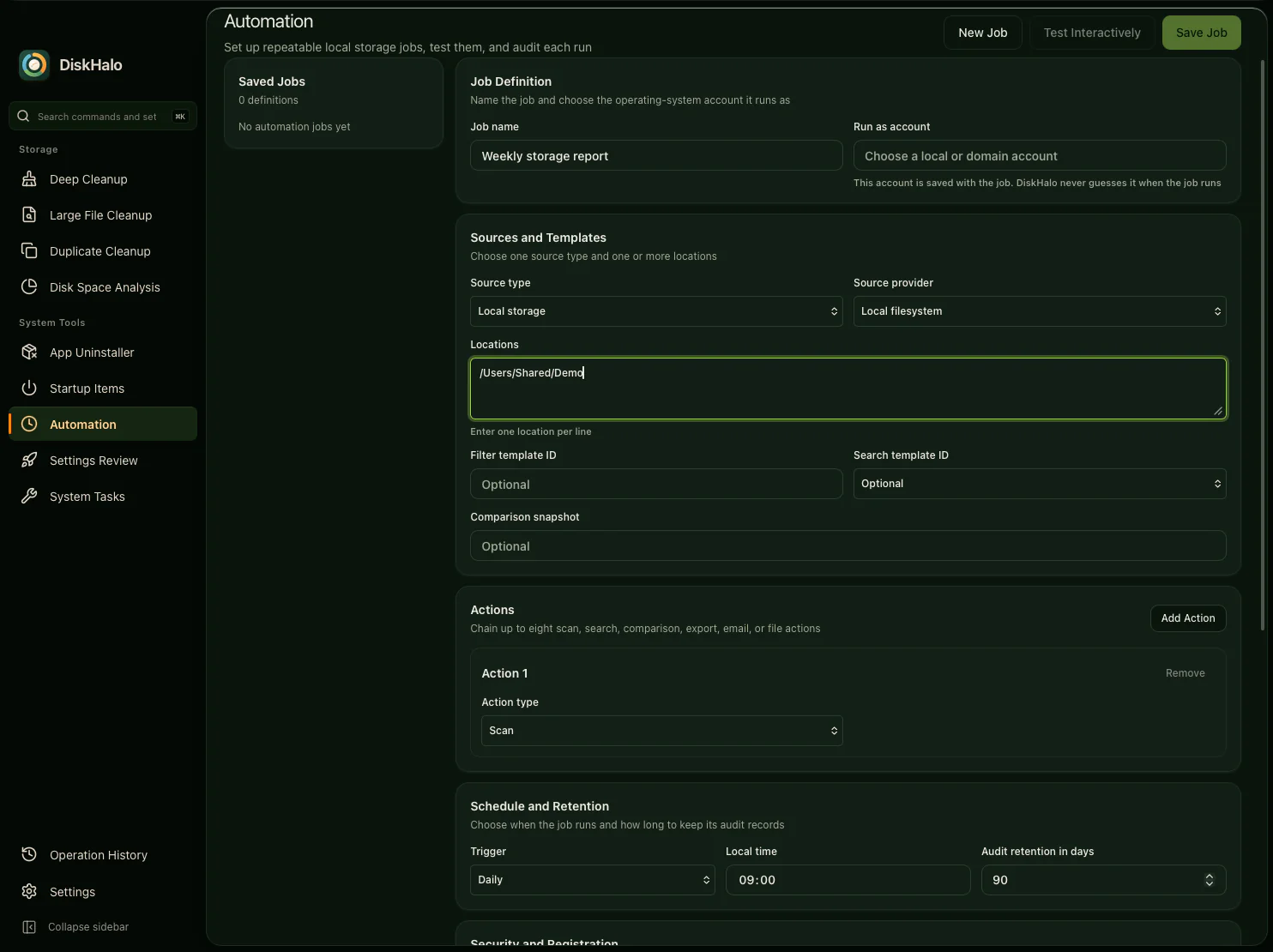
Automation

Build a job from sources, a comparison and up to eight chained actions, then give it a schedule and an audit trail. Scheduled jobs run on Windows.

View full size
DiskHalo / AutomationDemo data
The DiskHalo Automation job editor for a job named Weekly storage report: sources and templates, a comparison snapshot, a list of chained actions, and a daily schedule at 09:00 with 90 days of audit retention.

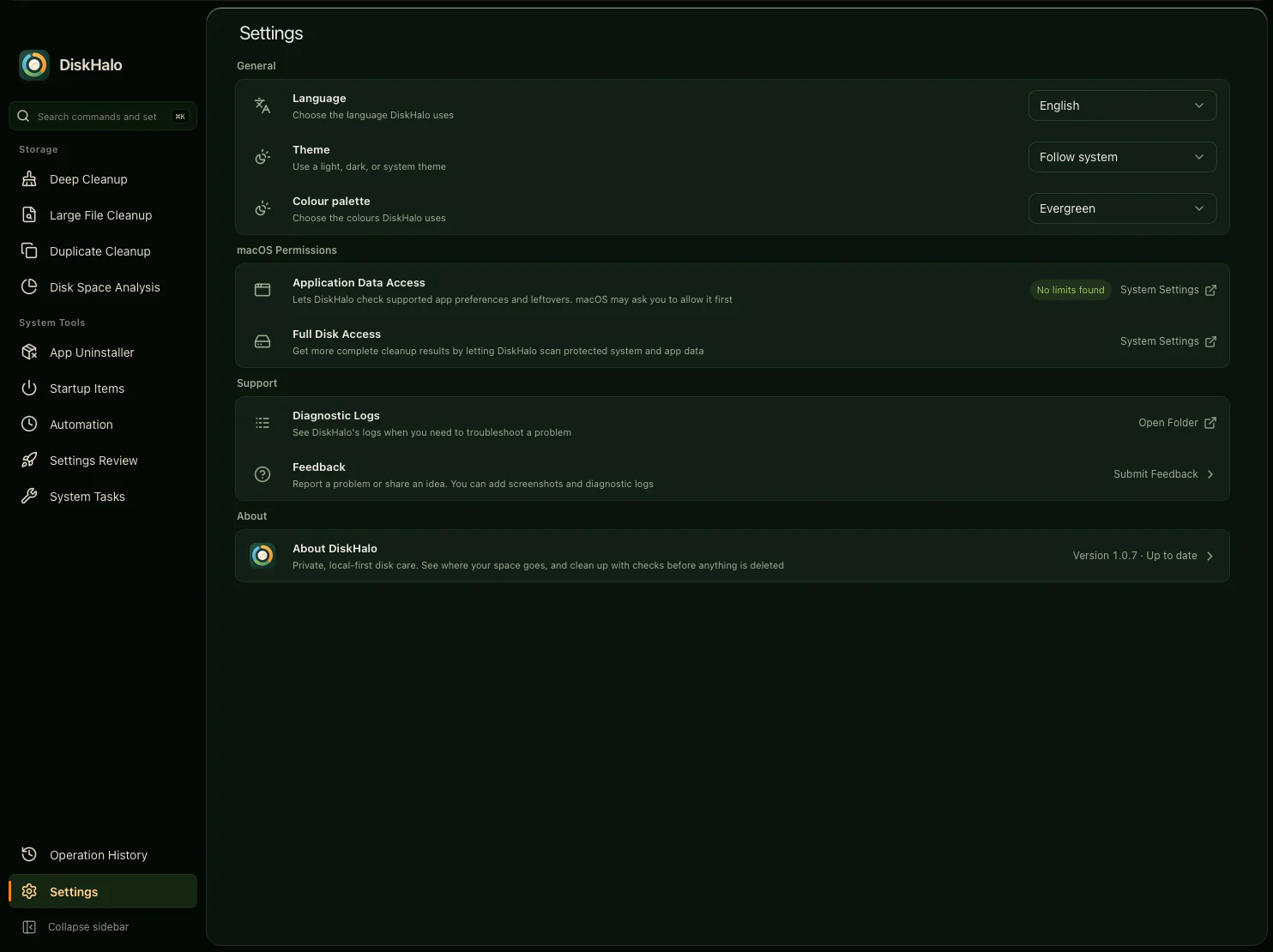
Settings

Choose the language, theme and colour palette, check macOS permissions, and send feedback with diagnostic logs when you need help.

View full size
DiskHalo / SettingsDemo data
DiskHalo Settings: the language, the theme set to follow the system, the Evergreen colour palette, macOS permissions for app data and Full Disk Access, support options for diagnostic logs and feedback, and the app version.

Every tool, in detail.

See what each feature does on Mac and Windows, or start from the problem you want to solve.

Browse use cases

One price. Mac and Windows. Up to 3 personal devices.

Explore the features

Product and service names shown on this page are trademarks of their respective owners. DiskHalo is not affiliated with, sponsored or endorsed by them.