

See what’s using
your disk space.

DiskHalo is a local-first disk-space app for Mac and Windows. It finds the caches, build output, AI models, duplicates and app leftovers that Xcode, Docker, Node.js and Hugging Face leave behind. Your files never leave your computer.

macOS WindowsOne price. Mac and Windows. Up to 3 personal devices.
DiskHalo / Storage OrbitDemo data
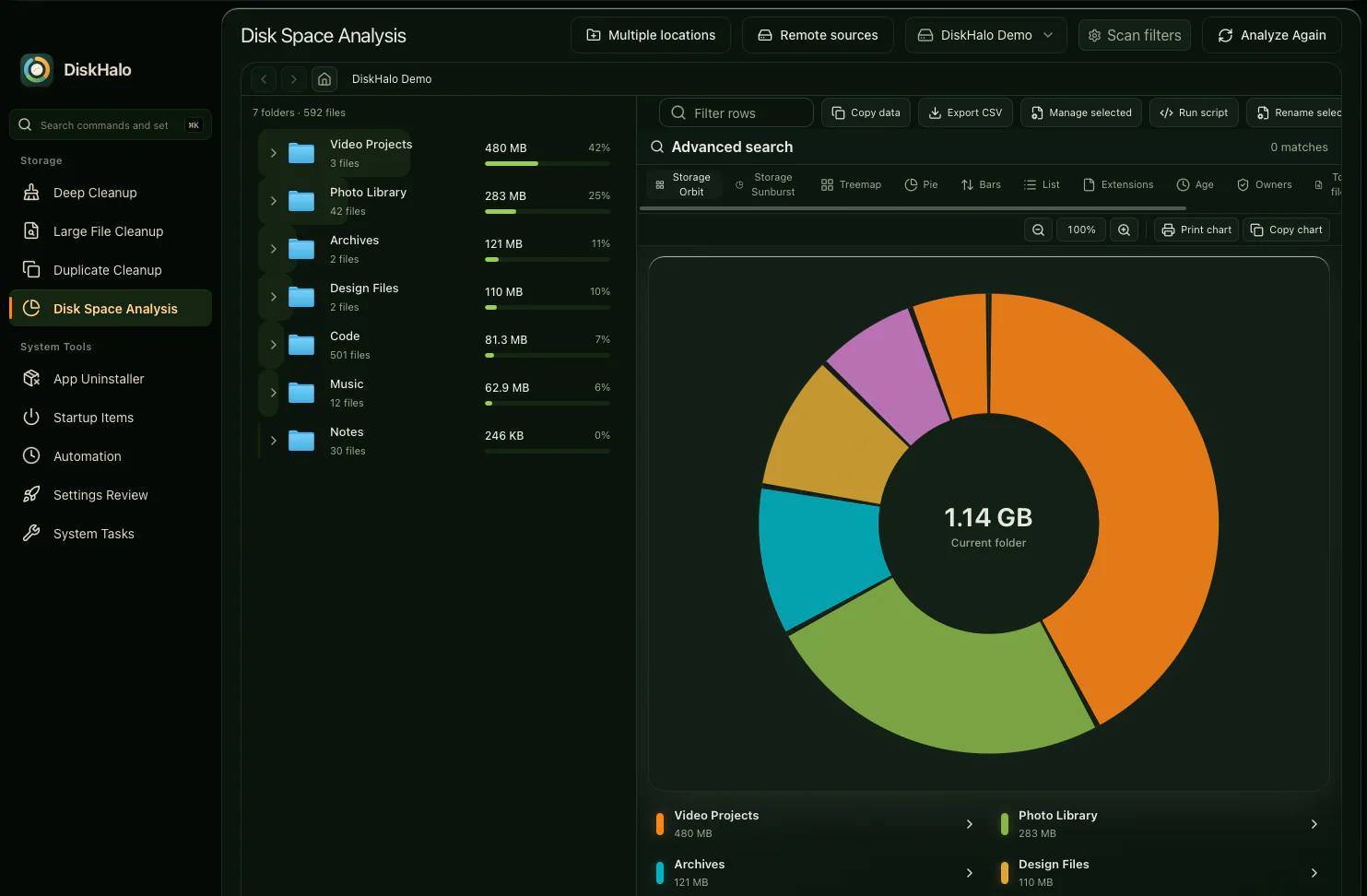
DiskHalo Disk Space Analysis in the Storage Orbit view: the subfolders of a demo folder drawn as arcs around a ring, each sized by the space it uses.
  • Your files and scan results never leave your computer.
Privacy notice

From the whole drive
down to one folder.

That “disk almost full” moment? Start from the whole drive and follow the space down, view by view, to the folder that’s taking more than its share.

DiskHalo / Storage OrbitDemo data
DiskHalo Disk Space Analysis in the Storage Orbit view: the subfolders of a demo folder drawn as arcs around a ring, each sized by the space it uses.
Follow the space.A visual path from your drive to the folders that fill it.

Actual app screenshots · macOS build · Synthetic demo files View full size

Look first.
Then decide.

From the biggest folders to the smallest leftovers, see what’s there before you decide what stays.

Where the space usually hides

This is sample data. The website never scans your computer.

Select a category to see what it covers.

DiskHalo / Deep CleanupDemo data
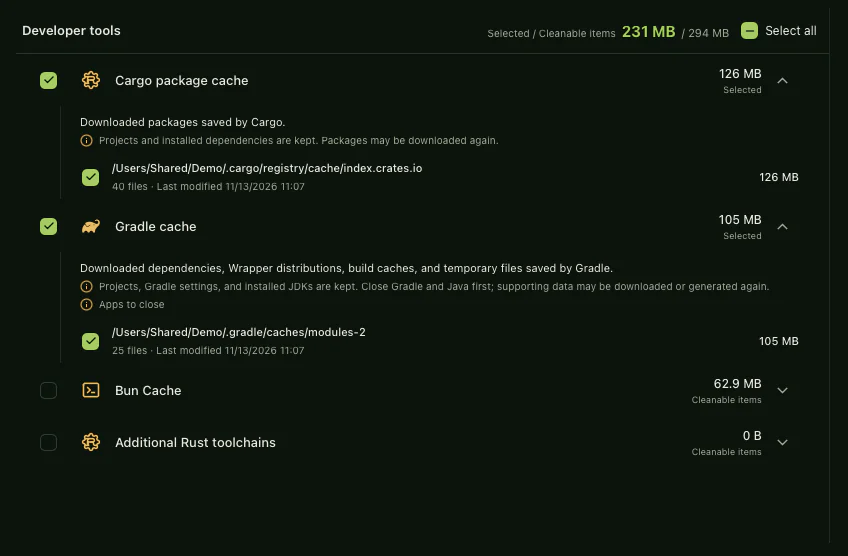
DiskHalo Deep Cleanup review list for a demo scan: developer caches with their sizes, two expanded to explain what each one holds and what is kept.

Keep the good stuff.
Lose the leftovers.

Review caches, forgotten downloads and duplicate files, each one explained before you decide. See it before you remove it. Nothing is deleted without your confirmation. Cleanup deletions are permanent.

  • Deep cleanup
  • Large files
  • Exact duplicates
See pricing

A whole toolkit.
One calm workspace.

Go beyond clearing a folder. Look after the things that quietly build up around it.

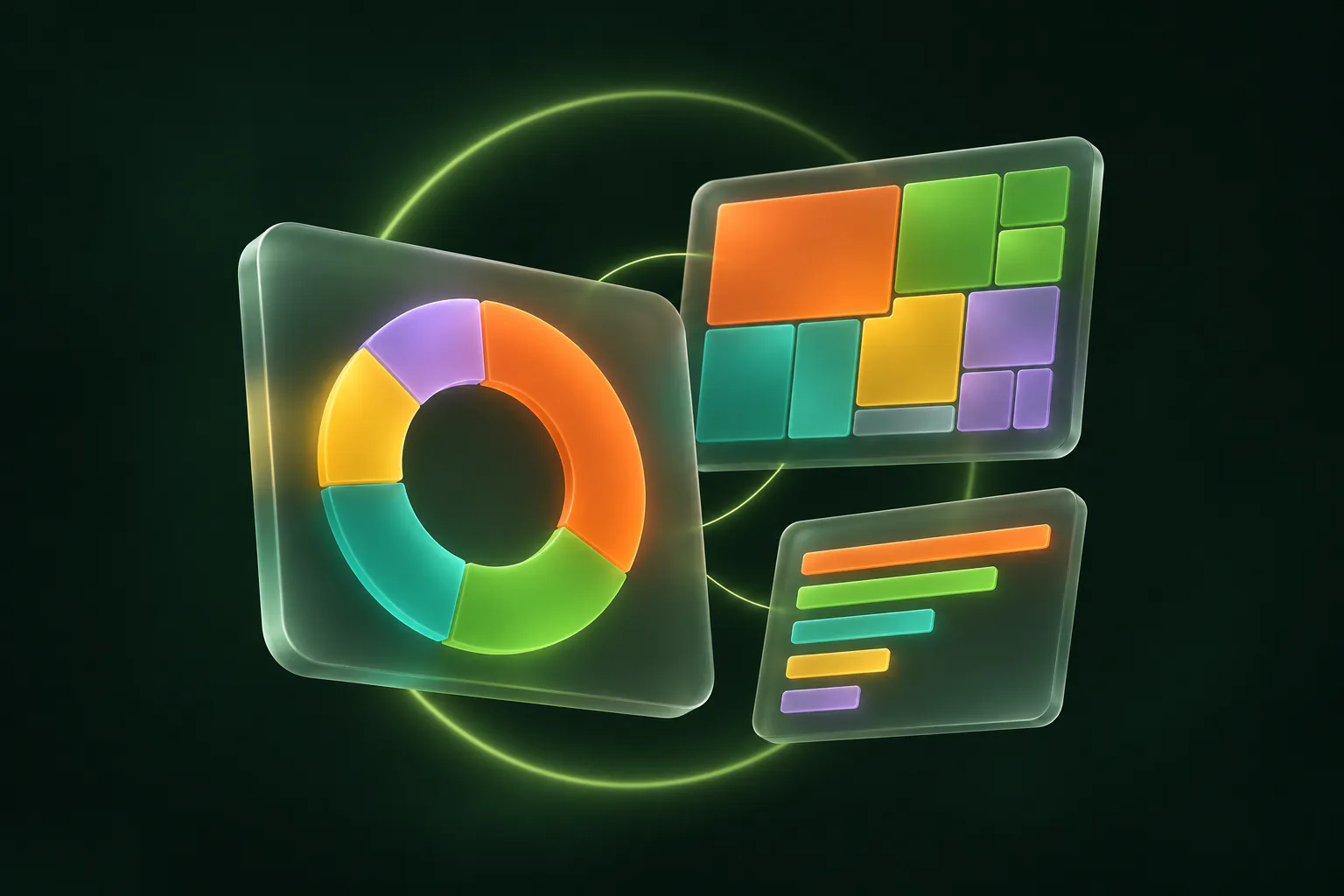
Illustration of DiskHalo's analysis views as floating glass panels: a ring chart, a treemap and a list of folder sizes.
Illustration

See what stays on your computer

Beyond this disk.
Your clouds and servers too.

Analyse remote storage the way you analyse a drive. Add up to eight buckets, drives, sites, servers or mailboxes, and see where the space goes in one place.

  • Names, sizes and dates only. The connector reads metadata and never downloads file contents.
  • Your credentials stay with you. They are kept in your operating system’s credential vault.
  • One failure does not stop the rest. Locations that finish stay available when another cannot be reached.
Illustration of one computer reading many remote places: a bucket, a cloud, servers, a mailbox, a folder, a phone and a drive send small labels of names and sizes along threads of light.
Illustration

Amazon S3, Azure, Google Drive, Microsoft SharePoint and Microsoft Outlook are trademarks of their respective owners. DiskHalo is not affiliated with, sponsored or endorsed by them.

It’s your computer.
Let’s keep it that way.

Your disk is full of your life. Scanning and analysis happen locally, so you can understand your storage without handing it over.

Inside the Trust Centre
On your computerYour files. Your space.
ScanAnalyseReview

Scan data stays here

A separate connection for activation
Purchase and licence details only.

Pay once.
One price for Mac and Windows.

One purchase covers up to 3 of your personal Mac and Windows computers.

macOS and Windows, one licence

A one-time licence for Mac and Windows, for the major version you buy, including its updates. One price. Up to 3 personal devices.

DiskHalo Personal

Pay once

One price. Mac and Windows. Up to 3 personal devices.

  • All current desktop features
  • Up to 3 personal Mac or Windows devices
  • Updates for the current major version
  • 30-day money-back guarantee, on top of your legal rights

Sales open soonThere is a 30-day money-back guarantee.

A few good questions.

More help
Is DiskHalo a subscription?

DiskHalo is a one-time purchase for Mac and Windows, for up to 3 personal devices. There is a 30-day money-back guarantee. The next major version may be a paid upgrade.

Does DiskHalo upload my files?

No. Everything DiskHalo does with your files, from scanning to cleanup and history, stays on your computer. Licence sign-in and update checks send only the few details listed in the privacy notice.

What does the licence service store?

Your purchase email, a random installation ID, a generic device label, the platform and activation dates, plus short-lived sign-in codes kept only as keyed hashes. It never receives file paths, file names, scan results or file contents.

How many computers can I use?

Up to 3 of your personal Mac or Windows devices. You can deactivate an old device to free a slot for a new one.

What happens when I’m offline?

Once it’s activated, DiskHalo works offline. When you’re online, it refreshes its signed licence now and then, without sending any scan data.

Can I get a refund?

Yes. Every purchase has a 30-day money-back guarantee, on top of your legal rights. Our checkout provider, acting as merchant of record, handles refunds; the refund policy explains how.

No licence key to lose.

After you buy, sign in on each of your computers with your purchase email and a 6-digit code. Your licence covers up to 3 of them.

Activation steps

Questions about installing, activating, cleanup or billing? Start with the guides and licence help.

Visit the Support Centre